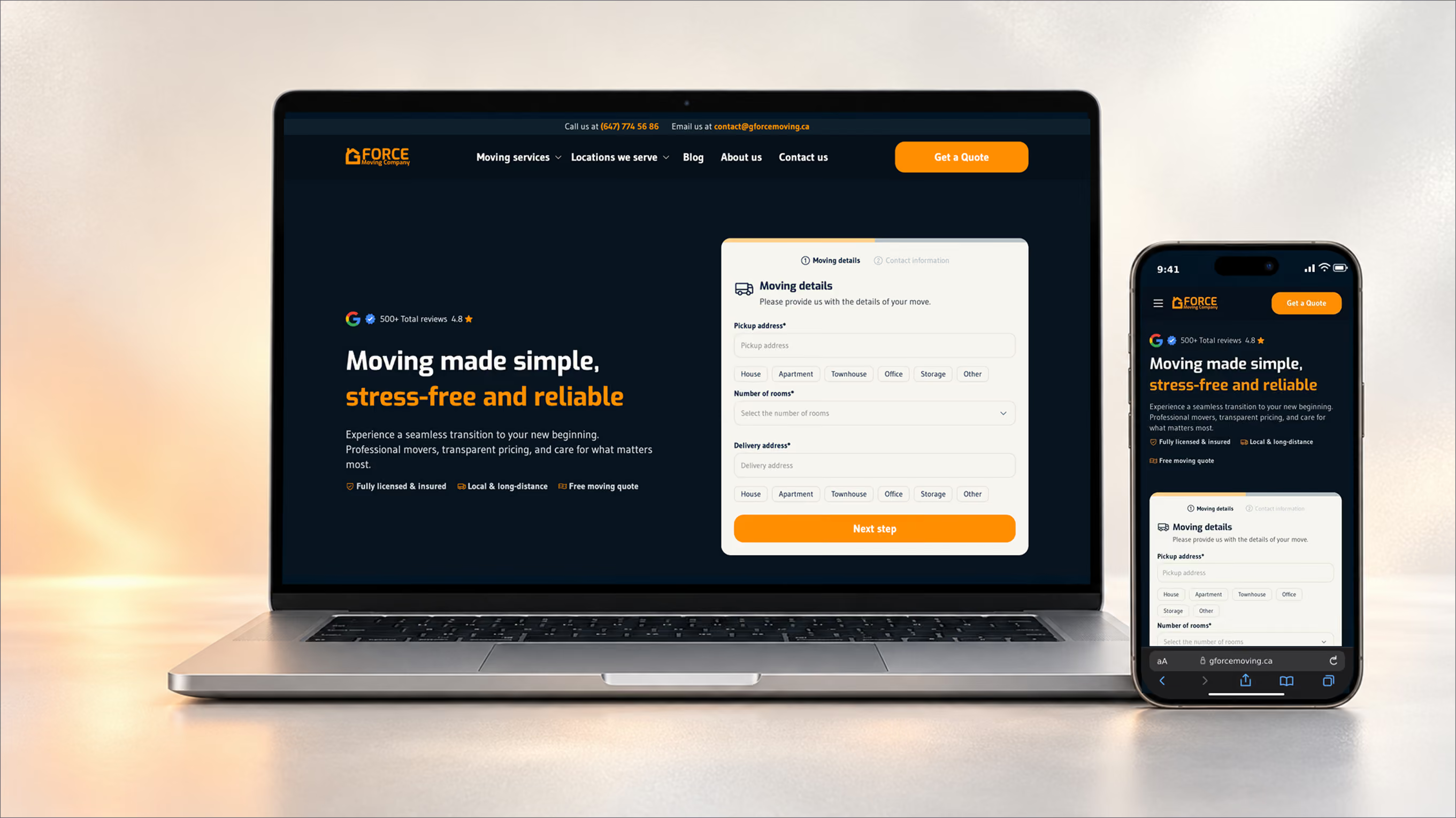
Designing and building G FORCE Moving’s website end to end, and doubling its booking rate without paid ads
I led G FORCE Moving's new website from research to launch: the brand, design system, quote flow and a Webflow and Cloudflare platform. I designed it with AI at every stage, built about 70% of the front end myself and hired and onboarded the developer for the back end. In its first summer, the business held revenue within 2.4% of the year before and grew net income 72%.
Launched June 2026. The live site has changed since.
Booking rate: the share of quote requests that become booked moves
26% in July and 18% in August, above the 20% target.
Sources are company financial records and Google Analytics.
+72%
Net income, July to September 2026 vs the same months of 2025
+69%
Organic search sessions, Q2 to Q3 2026, against a +40% target
Old home page
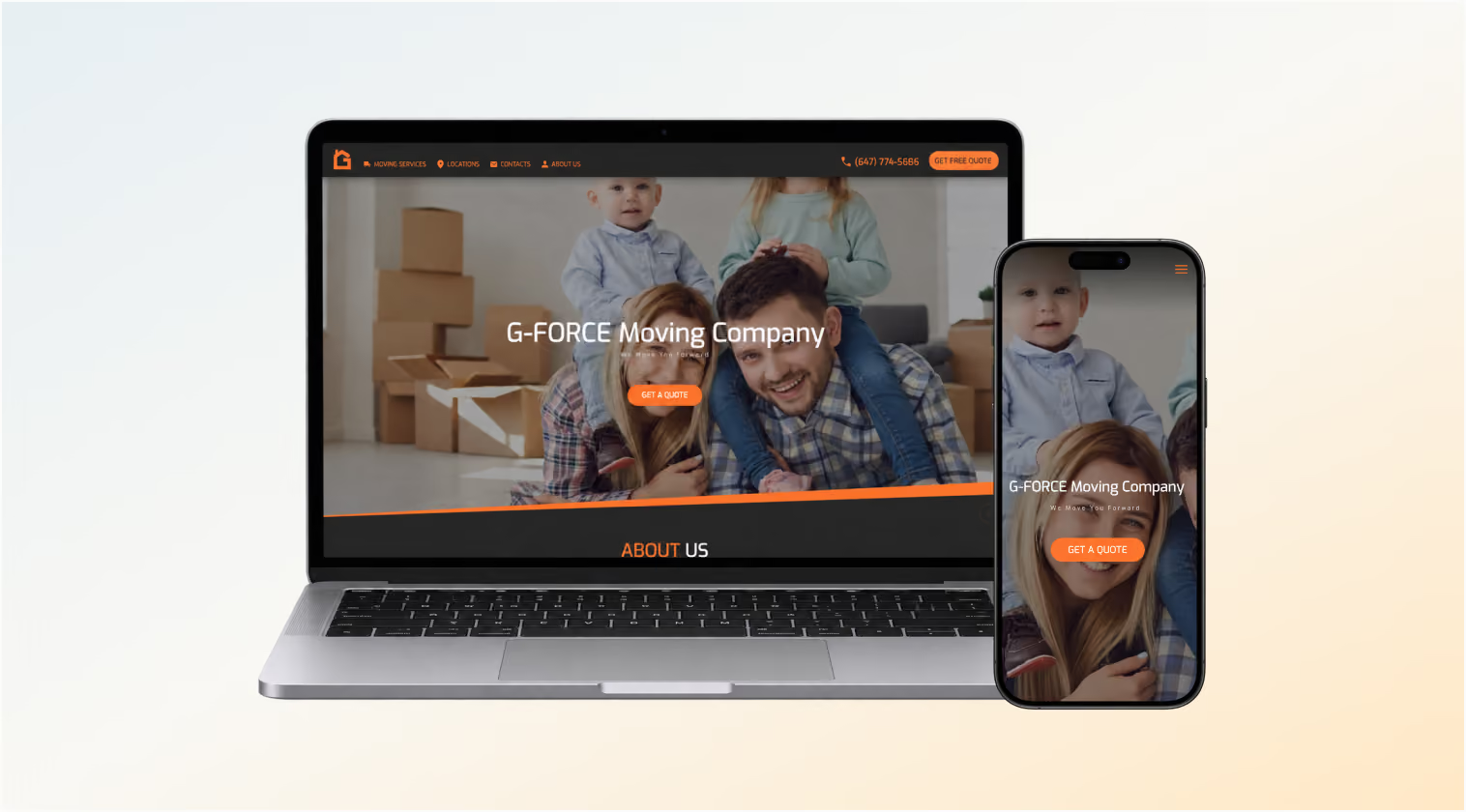
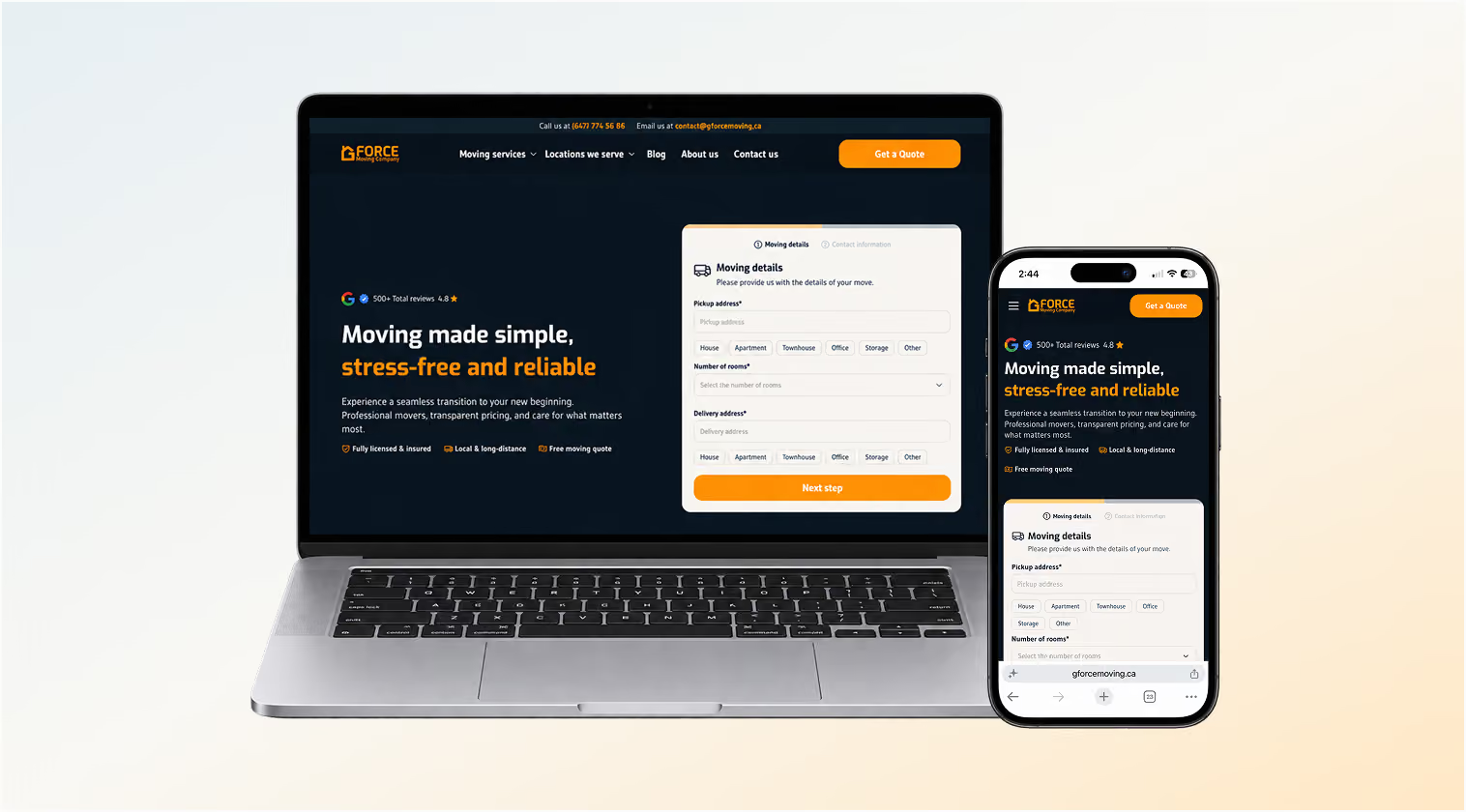
New home page
Role
Lead Product Designer and co-founder
Company
G FORCE Moving, a residential and commercial moving company in Ontario
Platform
Responsive marketing website and quote flow, desktop and mobile
Status
Shipped June, 2026
Live site
Timeline
January to June 2026. Research about 1 month, design 2 months, testing and revision 1 month, build and launch 2 months
Team
Me, two developers (the developer of the old site, and a new developer I hired from 11 candidates to build the new structure) and an SEO specialist
Tools
Figma, FigJam, Webflow, Relume, Mobbin, Cloudflare, HubSpot, Google Analytics, ChatGPT, Claude, Claude Code, Cursor, VS Code, Figma MCP, Webflow MCP, Granola
The business had outgrown a website it couldn't change
G FORCE Moving launched its first website in 2020, as a startup that needed to ship fast. Our developer built it as one codebase with a custom CMS and CRM. That worked for launch. By 2026 it was holding the business back in three ways: one developer controlled every change, the business depended on paid ads, and clients couldn't find what they needed to trust us.
1 dev in charge
Only a developer could change the code, and he held all the access
One developer held every change
Only our developer could edit the code. The CMS could add pages to the locations hub and nothing more. Small edits carried risk, because in a monolith a change in one place can break another. Heavy JSON animation files slowed the pages and were hard to replace.
Marketing felt this most. We couldn't test an SEO idea, rewrite a service page or add a city without a developer.
-43%
revenue from January to June 2026 vs the same months of 2025, after the paid ads stopped
Paid ads were carrying the business
In 2025 we paid for Google Ads every month, because our organic ranking in search and Google Maps was low, and we lost money on that spend. We stopped the ads in January 2026. On its own, the old site couldn't hold the line.
No visuals
photos or videos of real moves on the old site
Clients couldn't find reasons to trust us
The old site said little about our services, how booking worked or what happens on moving day. If a client's city wasn't on the list, they assumed we didn't serve it and left.
The client we designed for
This profile is a composite of 10 client interviews, with demographics from Google Analytics and our client records.
Our typical client
Composite of 10 client interviews
Who
52% men
48% women
Move
Residential moves
Finds movers through
Biggest worries
“
I was worried if the moving company was insured in case anything was damaged.
This client is about to hand strangers everything they own. On the old site, they found little about our services, how booking worked or what happens on moving day, and no photos or videos of real moves. On mobile, the locations slider was hard to work out, and the map showed pins with no information behind them. If their city wasn't on the list, they assumed we didn't serve it and left.
The client we designed for
I set the goals before choosing any tool, because I delegate work to our SEO and marketing people based on those goals and the design decisions behind them. That only works if they can act on their own: edit texts and images, create pages and fix problems without waiting for a developer. Each goal got a measure, and every key action, from quote start to submit, is tracked in GA4 so the team can see progress against it.
No code
SEO and marketing edit texts and images and publish pages themselves
+40%
Target for both organic traffic and organic leads, Q3 2026
20%
Target share of quote requests that become booked moves, Q3 2026
For clients, the site had to explain our services, earn trust and lead more visitors to a quote. The CRM had to keep each client's details from the moment they submitted it.
Research showed that missing cities and missing proof cost us quotes
I used four sources before designing anything. I analyzed Google Analytics to find the weak points. I audited the old site's architecture, structure and logic to decide what to keep. I researched competitors and current design trends. Then I ran a survey and moderated interviews with past clients, 10 people in each, about their experience with our company, our movers and our website.
An unlisted city looked like a "no"
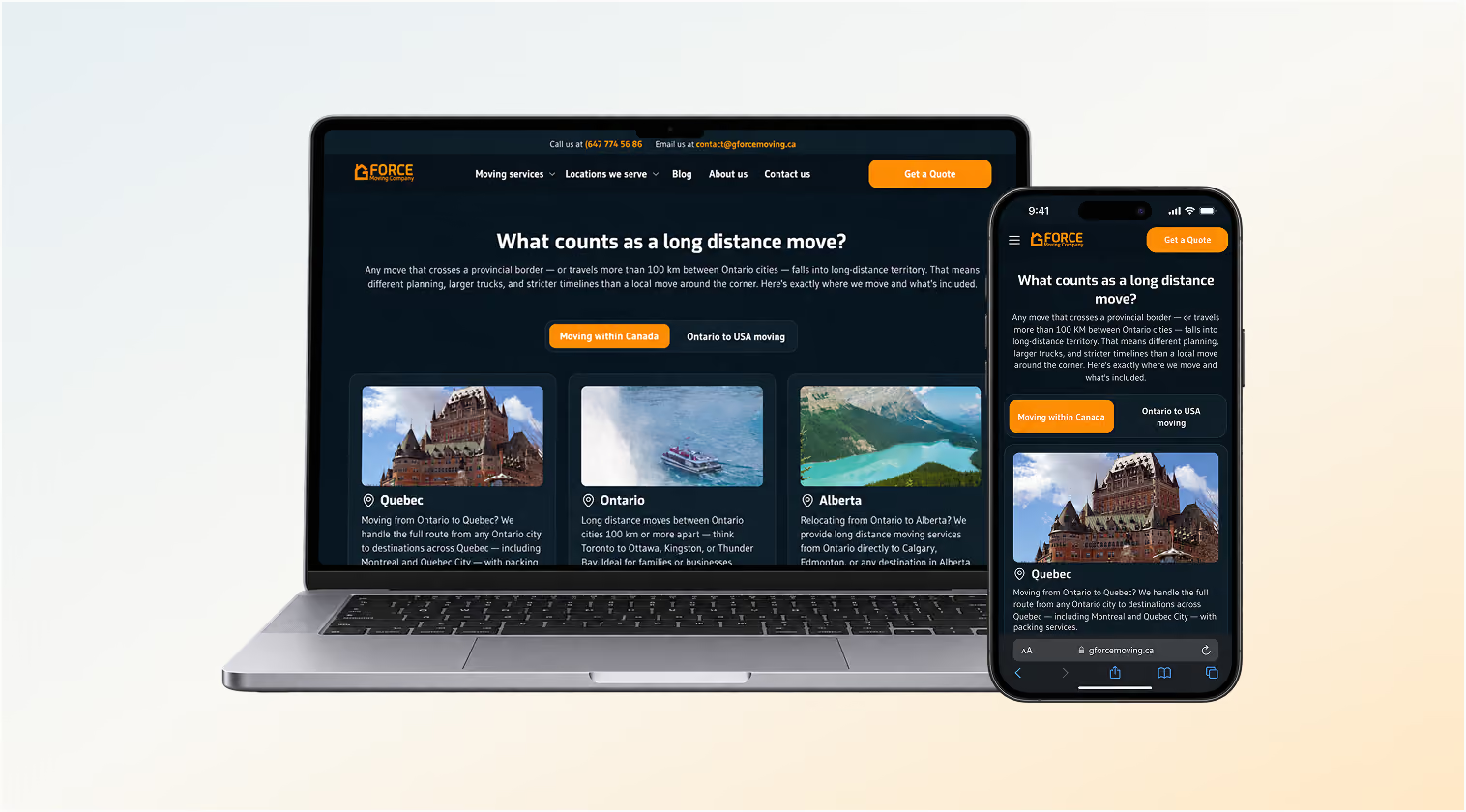
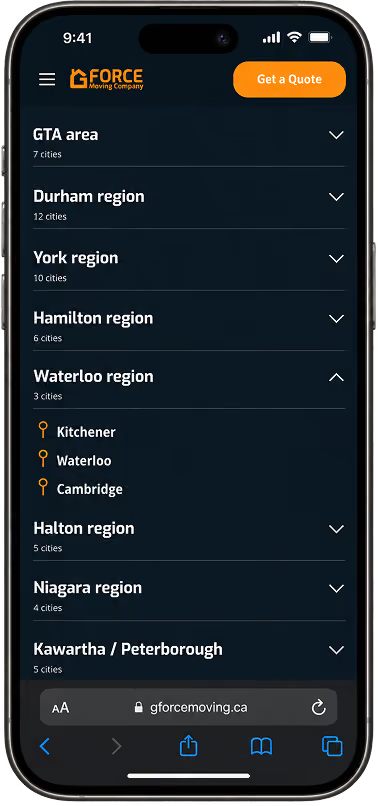
In interviews and the survey, clients said they assumed we didn't serve a city if it wasn't on the list. We cover much of Ontario and move across Canada and to the USA, so the site was turning away customers we could serve. This finding shaped the information architecture: every city we serve needed its own page, and the site needed to say that the list was not complete. After launch, the new locations hub became the third most viewed page on the site. Province pages and USA city pages cover long-distance and cross-border moves.
Old location hub
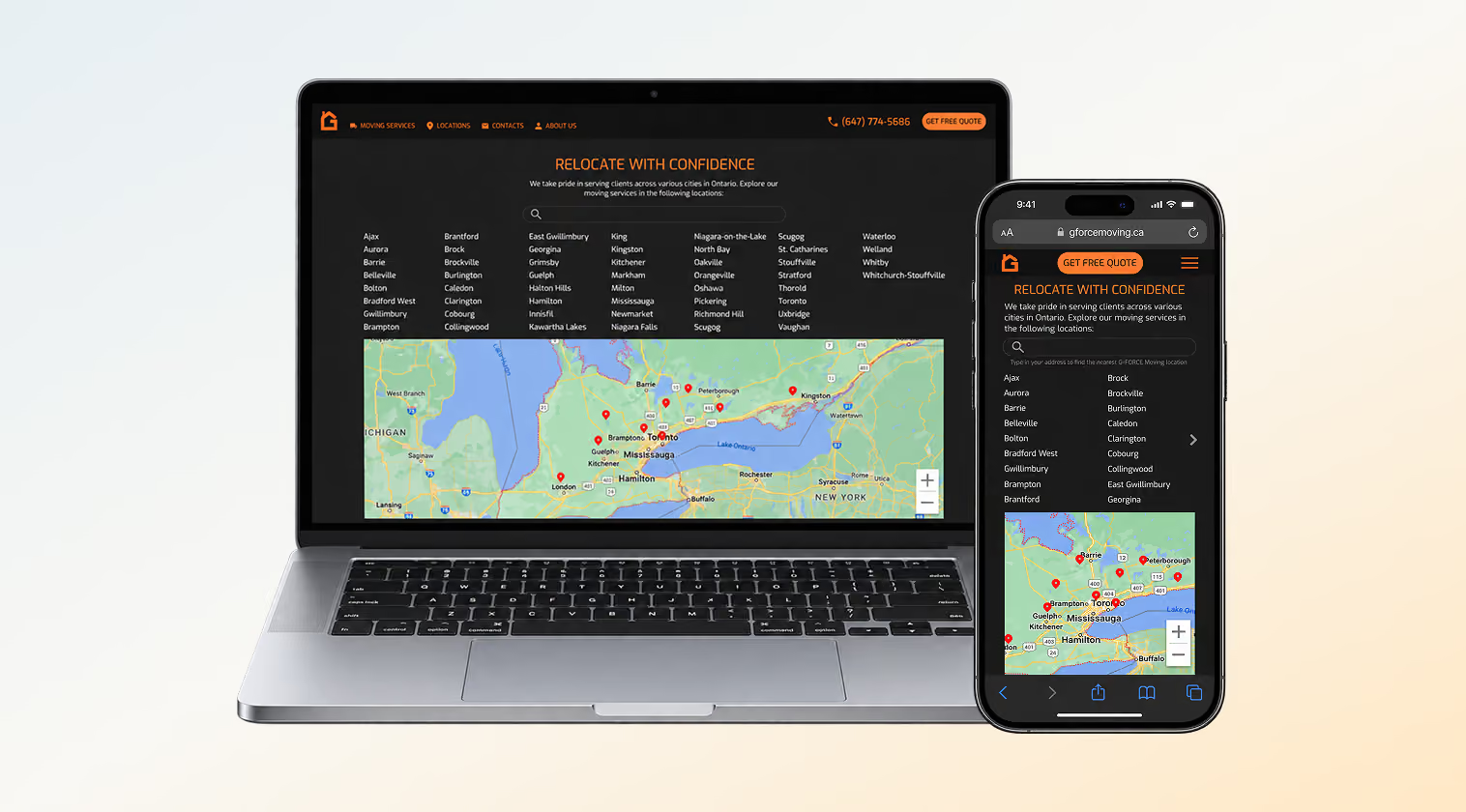
New location hub

Clients saw no evidence of our work
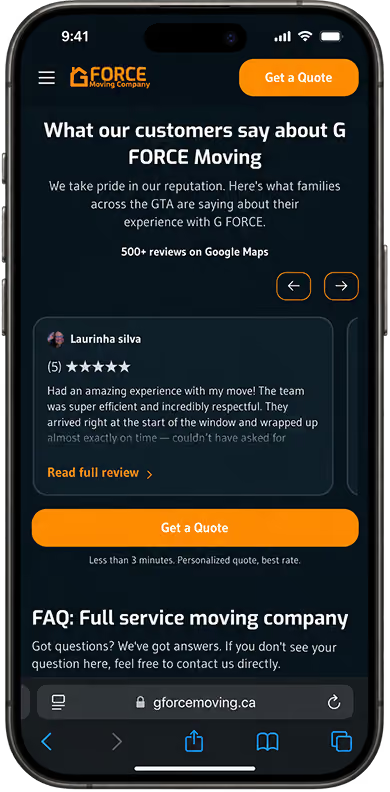
Before booking, clients worried most about two things: whether we were insured if something broke, and how we charge. The old site answered neither and showed no photos or videos of real moves. I designed a trust layer into the page templates: a gallery of photos and videos from our own moves, Google reviews, and plain statements such as "Fully insured & licensed".
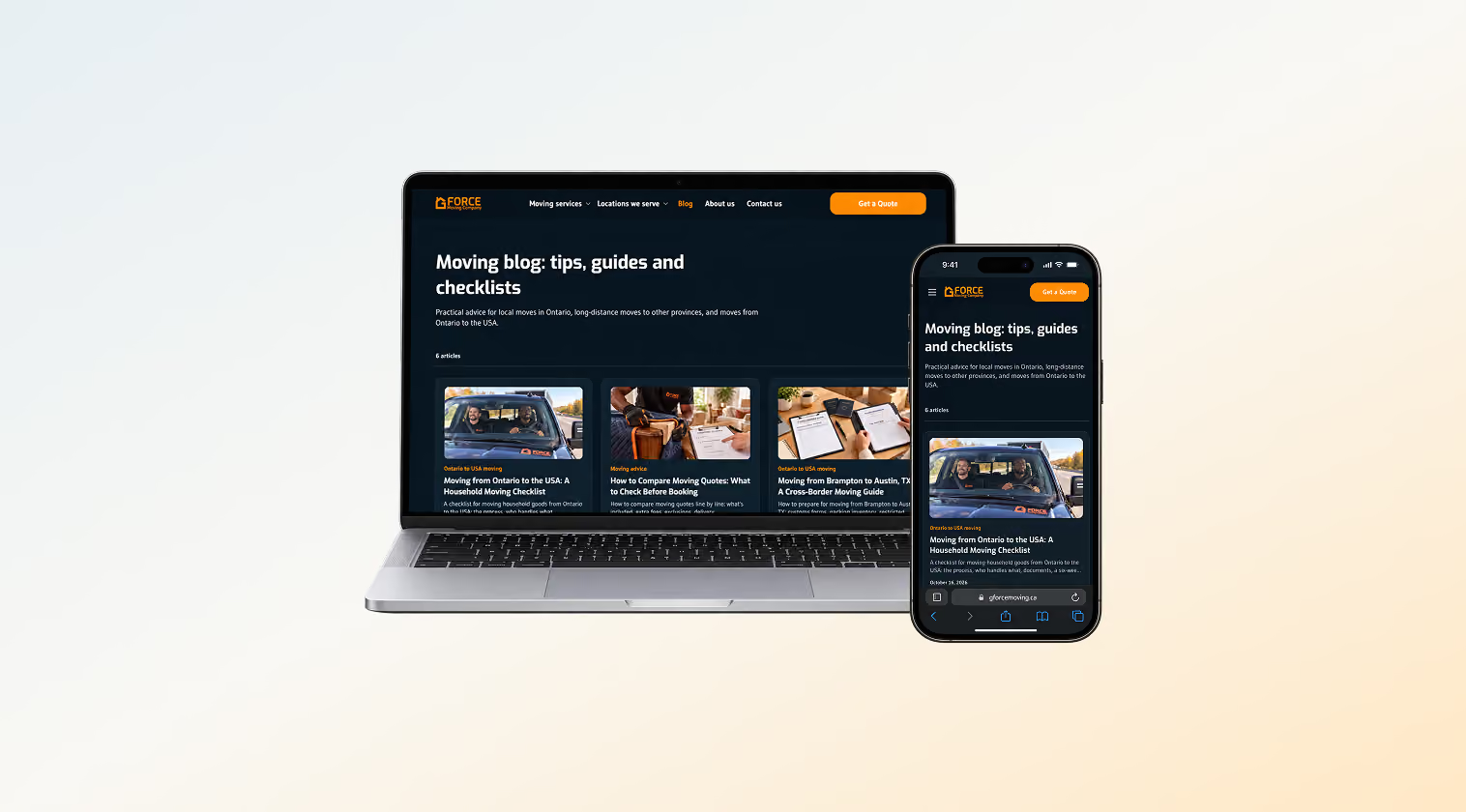
For the pricing worry, dedicated pages now explain how our prices are formed, so a client understands the quote before we call. A blog covers the questions around the move: case studies of past moves, tips and advice, and explanations of how the moving process works.
Photo gallery on a city page

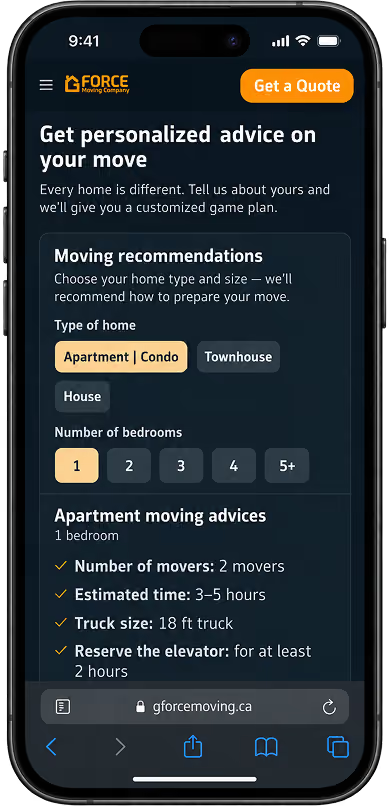
Widget: personalized moving advice

Blog hub
The site didn't explain what we do
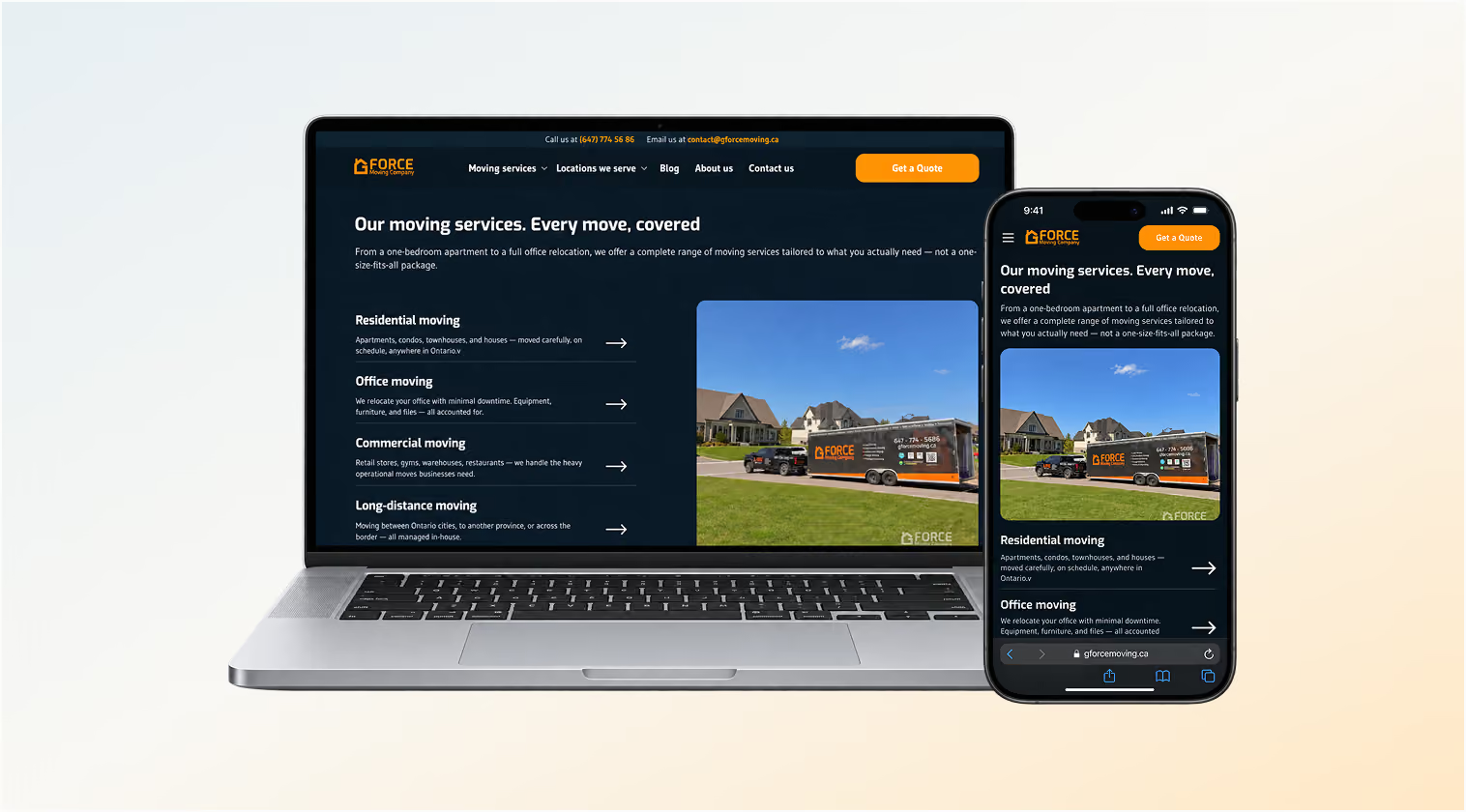
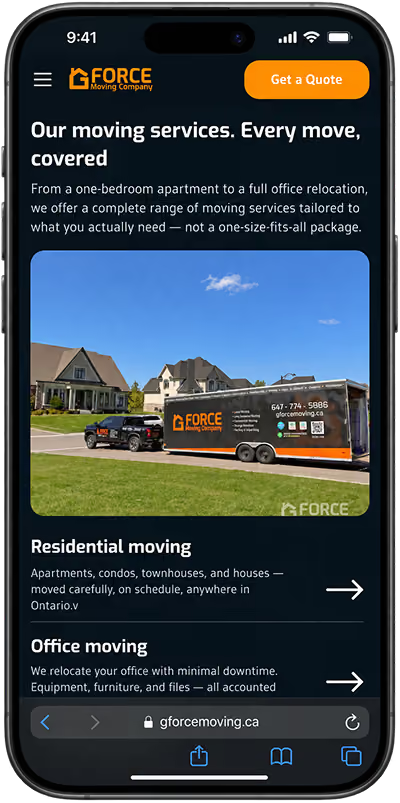
Visitors found too little about our services and how booking and moving day work. I designed a moving services hub with a dedicated page for each of our 7 services: residential, office, commercial, long-distance, Ontario to USA, storage and packing. Every service page comes from one template, so each one explains its service the same way and can rank for its own searches.
The hub was also an SEO decision. Service pages link to each other, to the hub and to the city pages, so search engines can follow the whole site. In the first quarter after launch, organic search sessions grew 69%, and this structure was one of the changes behind that.
Moving services hub page
Long distance moving page
I chose to rebuild on platforms the team could run
Rebuild instead of patching
Patching the monolith would have kept the single-developer dependency, the security gaps and the slow pages. I decided to replace it and build the front end and back end from scratch on separate platforms, so a change on one side can't break the other. This time I made security a requirement from the start, and we built it into the new back end.
Webflow, Cloudflare and HubSpot
I compared six options against those goals: Framer, Squarespace, WordPress, Wix, a custom React and Next.js site with an expanded custom CMS and CRM, and Webflow with a separate back end. I chose Webflow for the front end and CMS, Cloudflare for the back end and HubSpot as the CRM. For the moving team's convenience, every quote request is also posted to a Telegram group, so the crew can respond from their phones.
Webflow was the first choice because it gave us control of both the front end and the content, connected to Figma and to AI tools, and offered stronger security than the other options we compared. A custom React and Next.js build would have put the site back in code, where only a developer could change it. Cloudflare won the back end for its easy integration, its support and its price.
Home
Moving services
Residential moving
Office moving
Commercial moving
Long distance moving
Ontario to USA moving
Packing moving
Locations we serve
Province page template ×6
Blog
Blog post
Blog post
About us
Contact us
Hiring the developer
I still needed a developer to finish the front end, build the back end, connect the CRM and Google Analytics and secure the system. I interviewed 11 developers over 2 weeks. I screened for five things: experience with monolithic codebases, so they could carry parts of the old system across; Webflow proficiency; experience in the same or a similar business; clear communication; and the tools they work with. Above all, I looked for someone bold enough to suggest ideas and collaborate actively with the team, and that quality decided the hire.
I built one design system for people and AI tools to share
The old site had no design system, style guide or brand guide. I updated the brand and wrote a brand guide, then built the design system in Figma and rebuilt it in Webflow so the two match.
What the design system holds
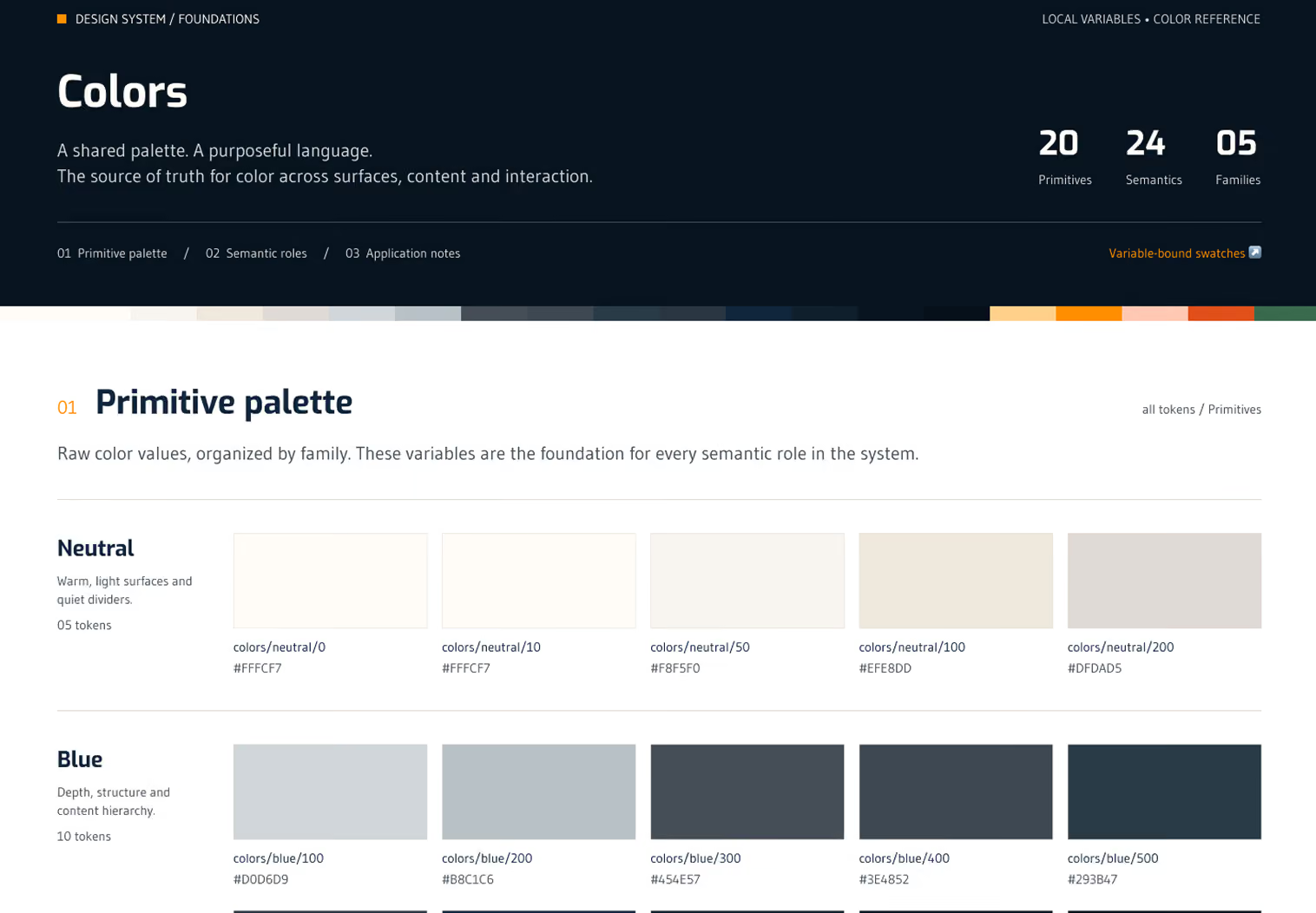
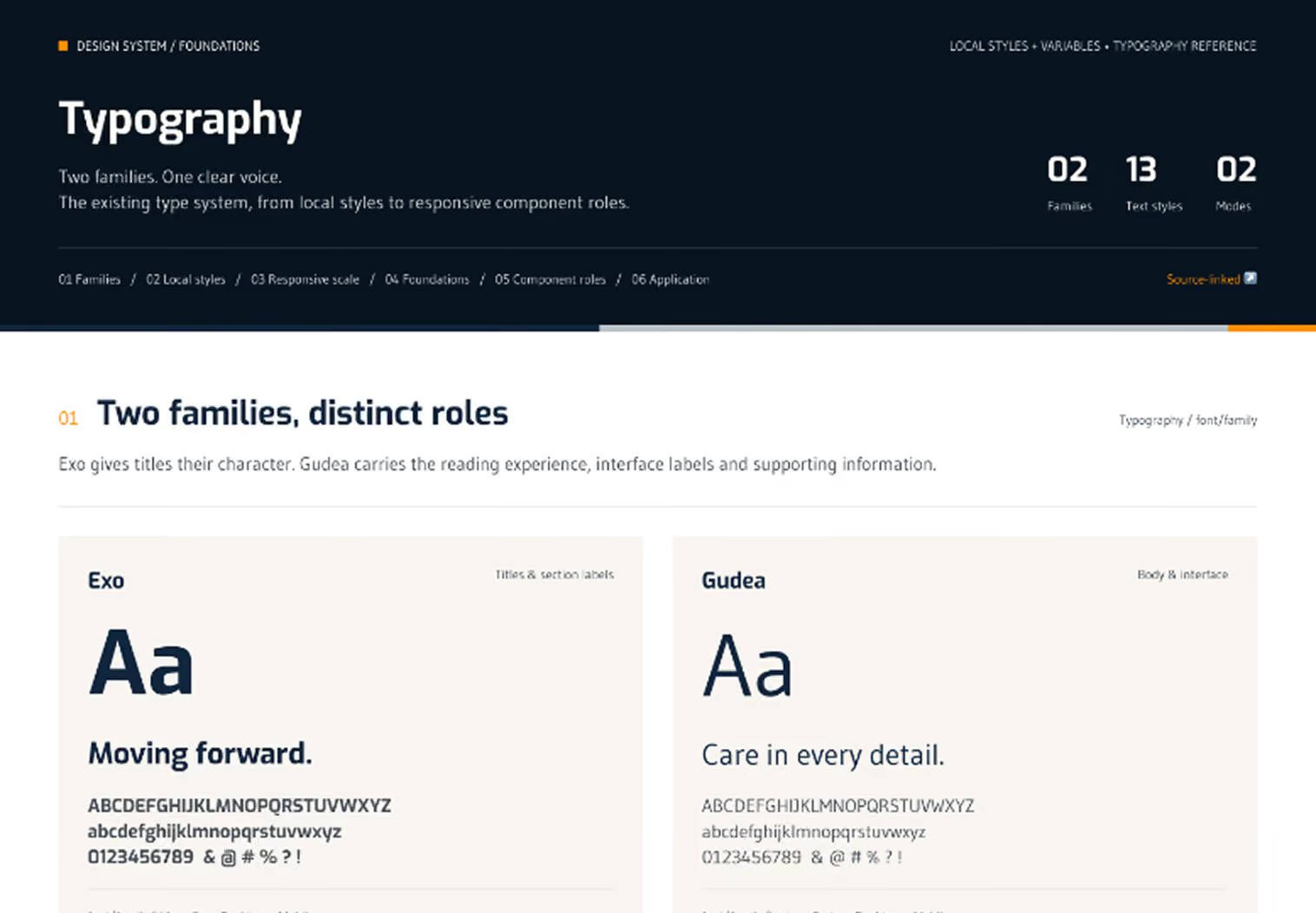
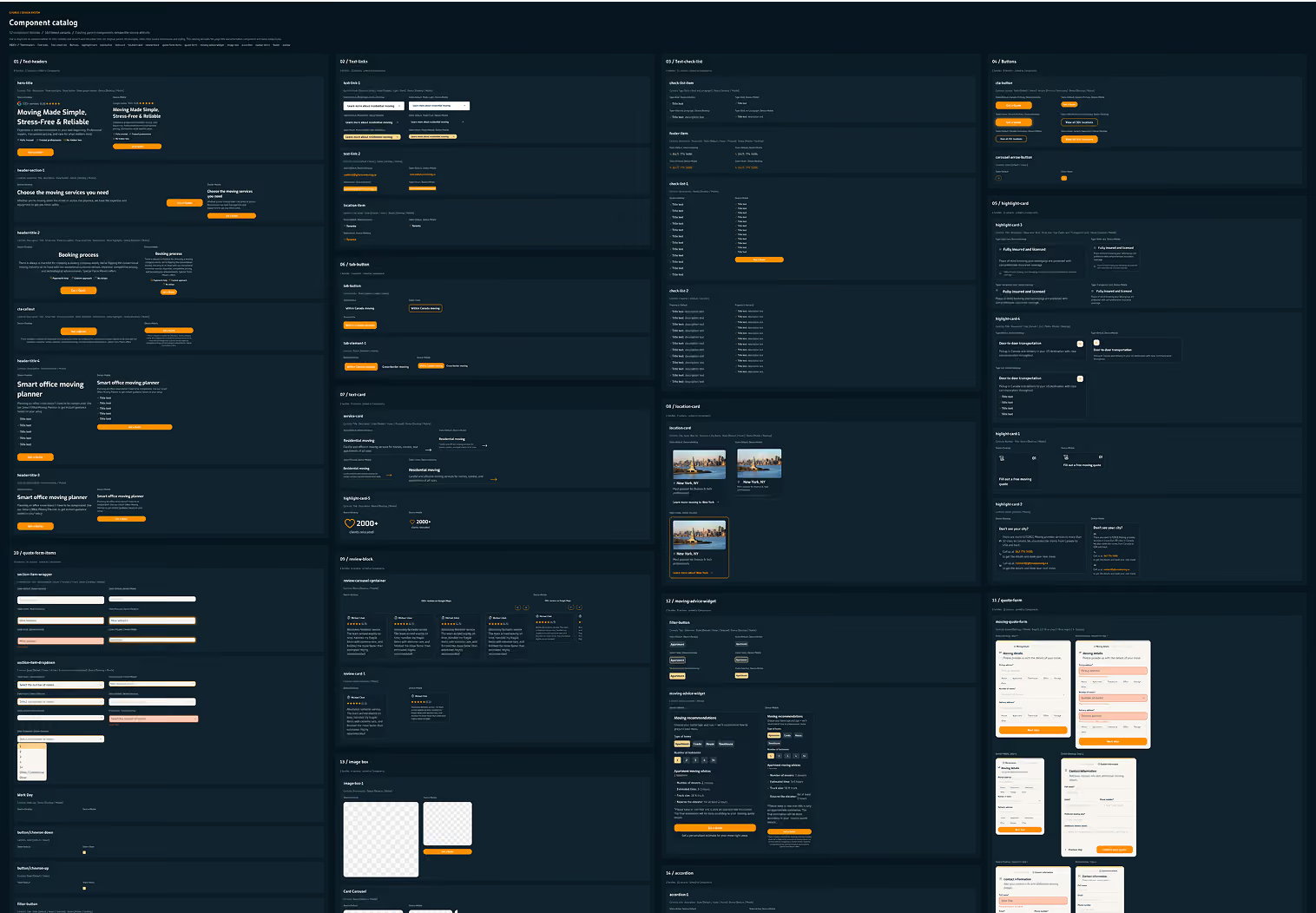
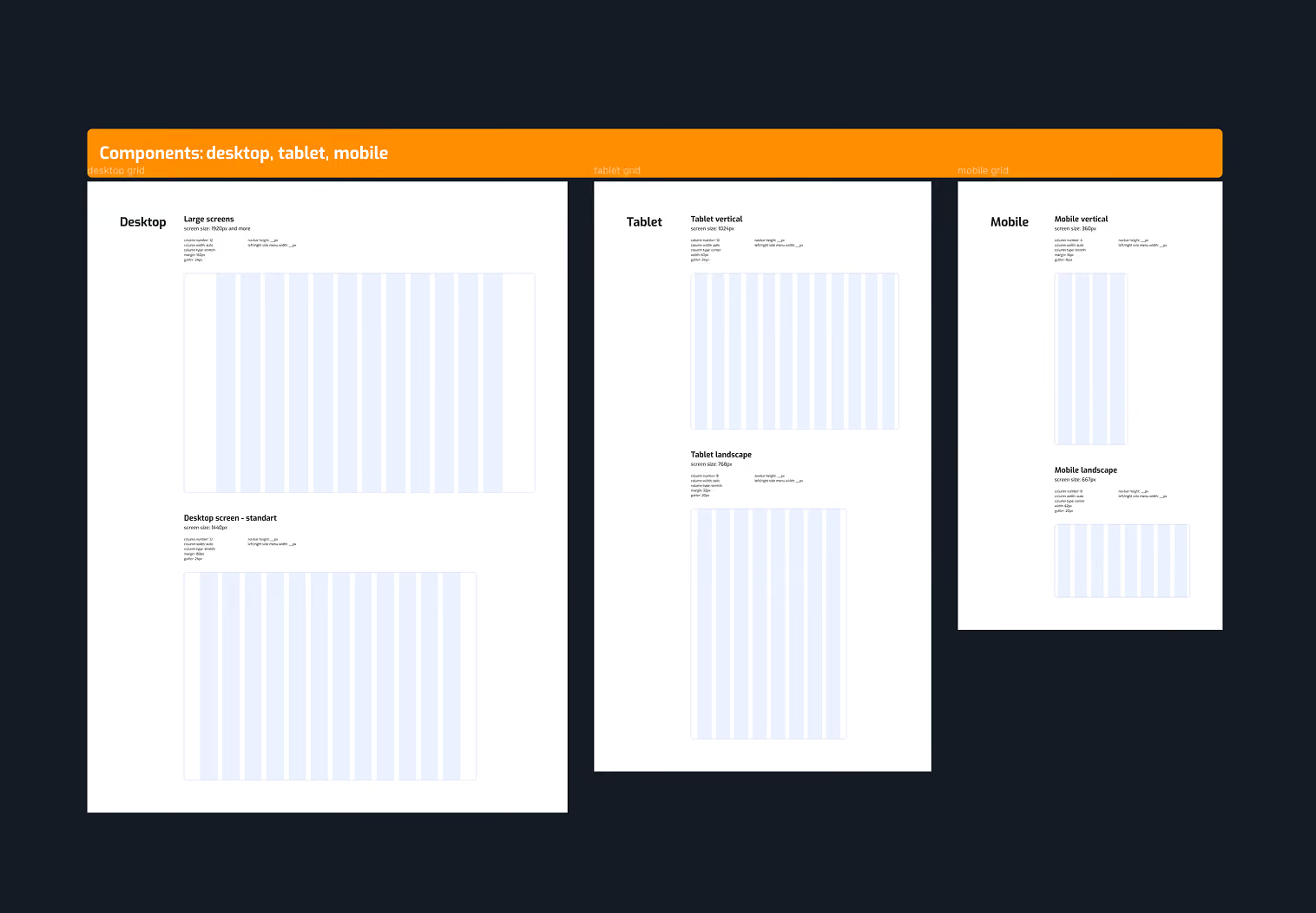
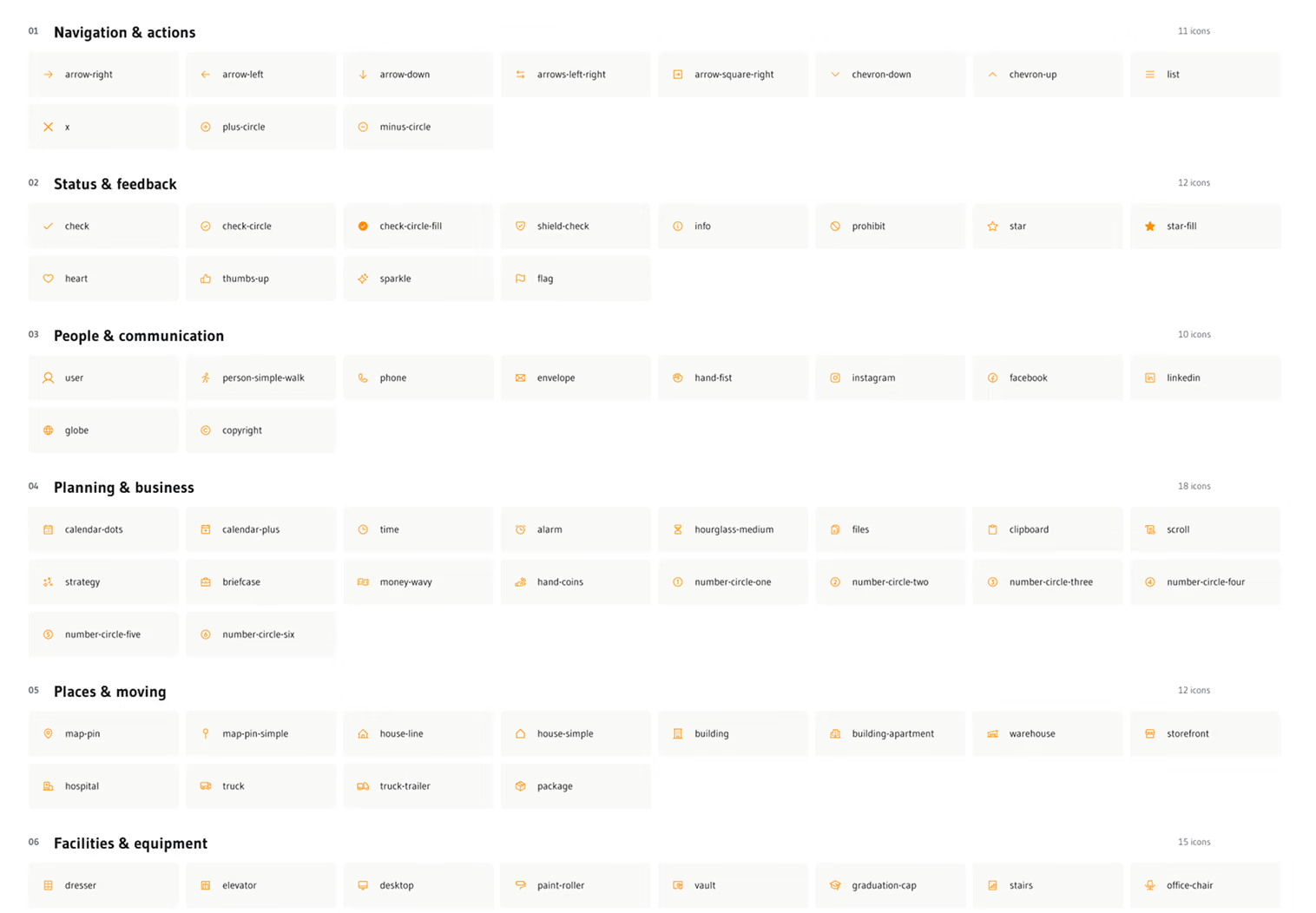
The foundations run on Figma Variables: 3 collections and 58 variables, with theme and device modes for desktop and mobile. Colours come in two layers, a primitive palette and semantic roles for backgrounds, text, buttons, status and strokes, so changing a role updates every page that uses it. Type has separate desktop and mobile scales, and a layout grid covers each breakpoint. The library has 24 components, from buttons and form fields to service, location, review and step cards, navigation, tabs, accordions and alerts, plus 78 icons in 6 categories, from navigation to moving equipment.
Colours
Typography
Component library
Scalable grid system
Icons library
Design tokens
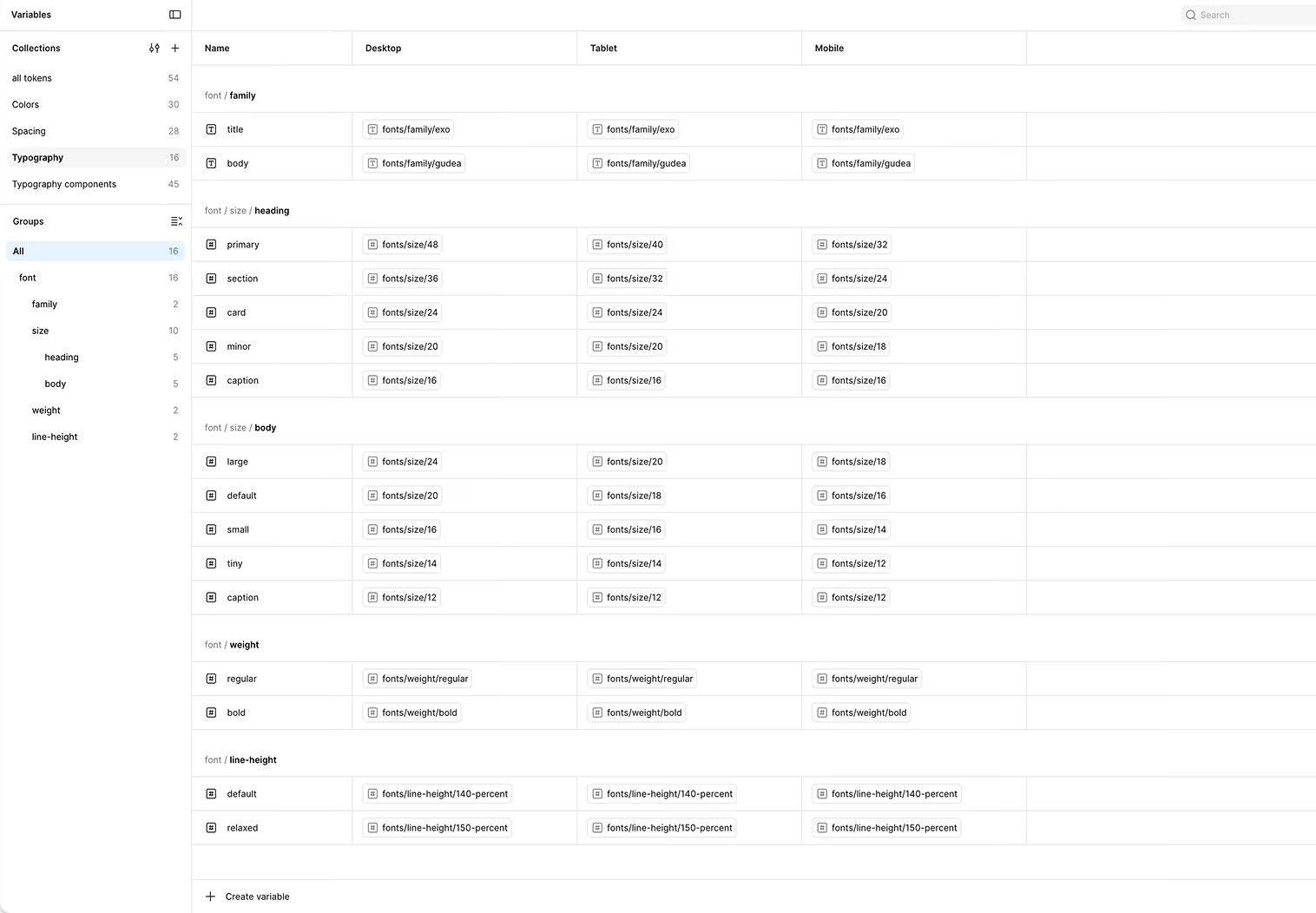
On top of the components, I designed page templates for service pages, city pages, province pages and USA city pages. A new page starts from a template, and the CMS fills in its content.
A system AI tools can read
I wrote Claude skills in VS Code that defined the naming and structure for elements, components and pages. Those rules kept Figma and Webflow consistent, and they gave every AI tool in my workflow the same vocabulary, so generated layouts would reuse existing components and tokens.
I also exported the system as code, with tokens, components and a SKILL.md file, so an AI agent can produce on-brand G FORCE pages and assets. I built it before launch and refined it after.
Package
g-force-design-system/
├─ styles.css
├─ tokens/ colours · typography · spacing · fonts
├─ components/ actions · forms · content · navigation · feedback
├─ assets/ logos · icons (78) · photography
├─ guidelines/
├─ ui_kits/website/
└─ SKILL.md
Rules from the agent instructions
One accent: orange #FF8F00. Never more than one.
"Get a Quote" is the primary call to action, everywhere.
Headings in sentence case.
Never invent stats beyond the approved ones.
No emoji.
Missing icon? Use the nearest Phosphor glyph and flag it. Never draw new SVGs.
The system at launch and after
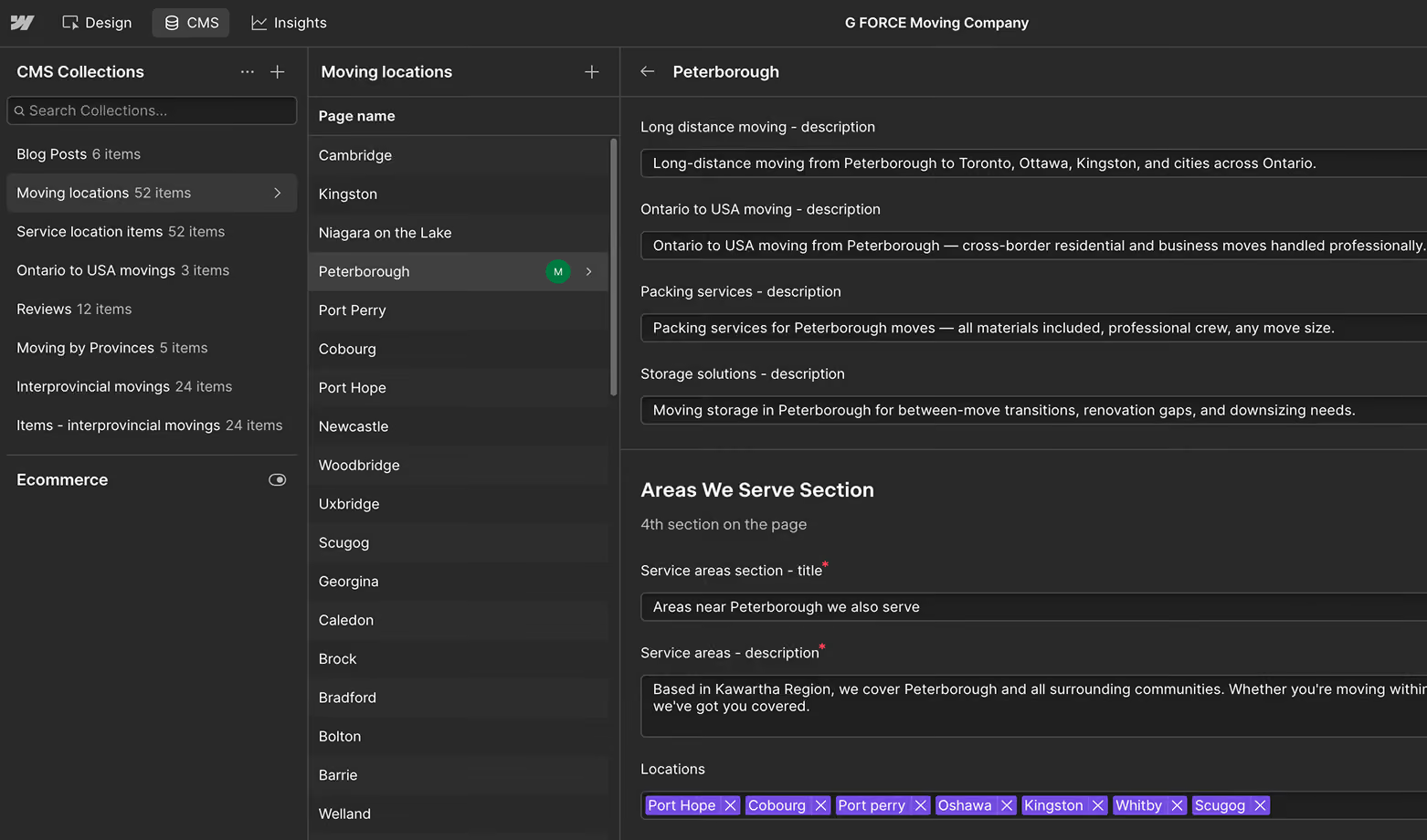
We launched with 113 pages, including 52 Ontario city pages. The site runs on 8 CMS collections, so most pages come from a template and an entry rather than being built by hand. After launch, I added an interprovincial moving collection and filled it with 24 new pages without a developer. Within the first quarter, six of them, including Ontario to Alberta and Ontario to Quebec, were among the 30 most viewed pages on the site. I delegated SEO to our SEO specialist, who works in the same CMS.
I used AI at each stage and fed it my own context
AI was part of every stage from research to launch. The tools changed by stage. The method stayed the same: I gave each tool written context about the project and iterated on what it produced.
Research
 ChatGPT
Desk research on users, constraints, competitors and design patterns
Analysis
 Claude
 VS Code
 Figma MCP
A custom skill ran the competitive and market analysis into Figma
Visual direction
 FigJam
 MobbinFigma Community
Moodboards and style and layout references
Architecture
 RelumeClaude
Site map and page structure
Design system
 Claude CodeVS CodeFigma MCP
Skills for naming and structure
Wireframes and mockups
 CursorClaude CodeFigma MCP
Low to high fidelity, finished in Figma
Testing
Claude Code Granola
A working quote prototype and AI notes from moderated sessions
Build
Claude Code Webflow MCPFigma MCP
The design implemented in Webflow
Context files fed every stage and stayed in sync across Claude, Google Drive, Cursor and ChatGPT
I gave AI a token structure to follow
AI generated components and tokens fast, but not reliably. It ignored the components and styles already in the system, and token names drifted from my hierarchy. So I built the design system in three levels of tokens and wrote that structure into the skill files and agent instructions every AI tool used.
Primitive tokens
Every raw value: the full colour palette, font families, sizes, weights and line heights.
Examples
colors/orange/500
fonts/size/20
Semantic tokens
Aliases of primitives that name a role, such as page background or body text.
Examples
Accent/orange
font/size/body/default
Component tokens
Aliases of semantic tokens that belong to one component, such as a button label.
Examples
button/label/size
input/value/size
One real chain: change the primitive, and both aliases follow
fonts/size/20
font/size/body/default
button/label/size
Primitive tokens hold every raw value. Semantic tokens are aliases of primitives and name a role. Component tokens are aliases of semantic tokens and belong to one component. When a primitive changes, every semantic and component token that points to it changes too, so the site stays consistent, and AI tools always know which level a new token belongs to. I connected the Figma MCP, the Webflow MCP and Claude Code and kept them in sync, so this structure, the naming rules and the project decisions reached every tool. The result was one valid set of design tokens that AI tools and developers can both read clearly.
I turned the quote from a separate page into a 2-step widget on every landing page
The quote moved to where clients land
Clients who found us in search landed on a city or service page, while the quote lived on a page of its own. Every quote began with a detour, and every extra step gave a client a reason to leave. Better fields alone couldn't fix that, so I moved the form to the pages where clients already were.

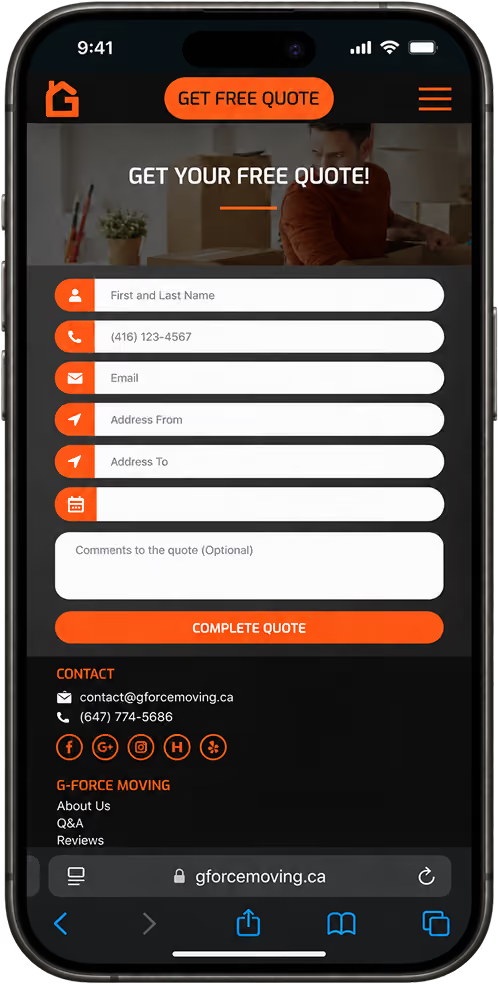
The form had its own page, so clients had to take an extra step to reach it. It asked for a name, phone number, email and a comment, which left out the details we need to price a move.
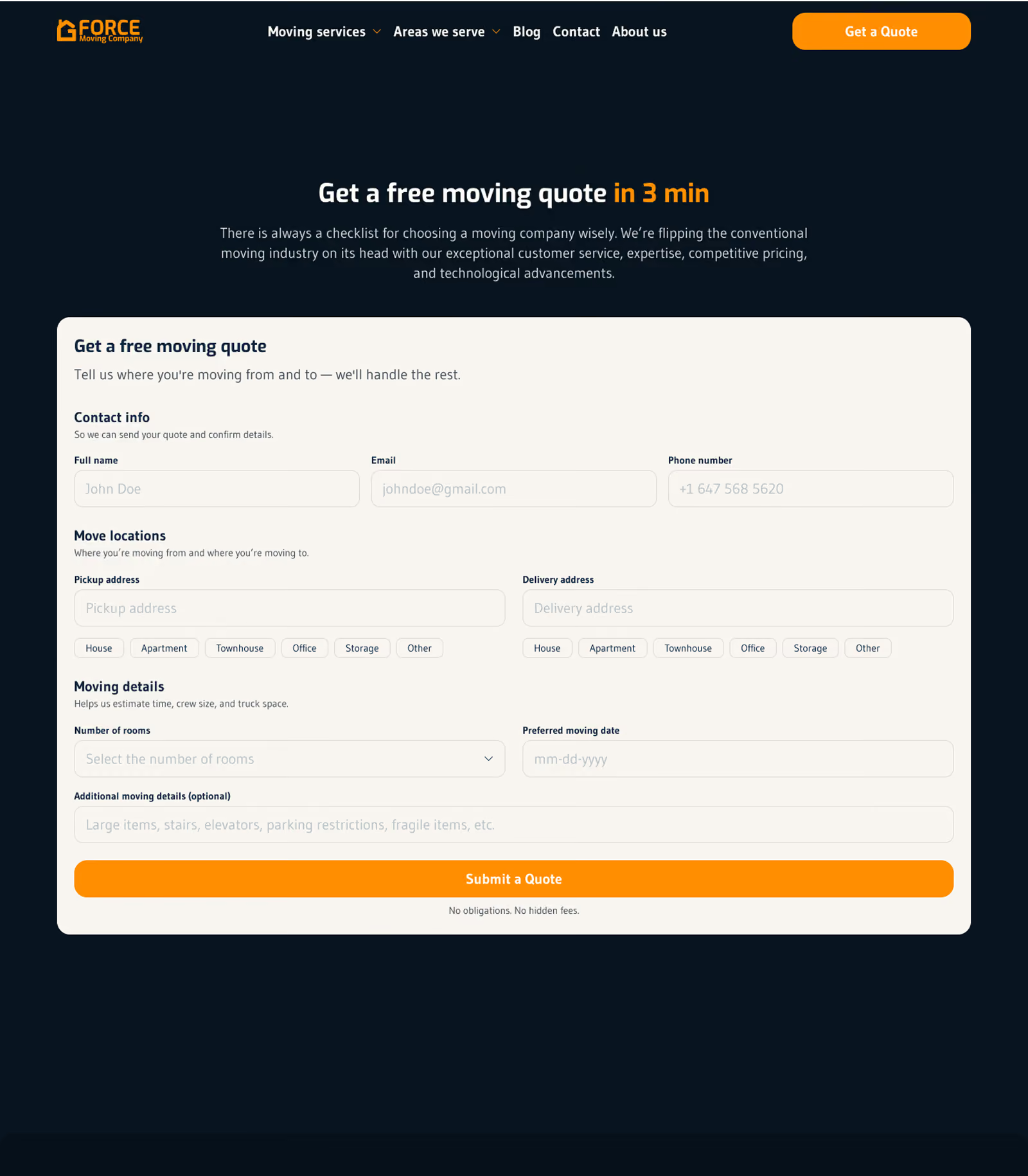
I added the fields we needed, such as the type of move, the number of rooms and the type of property. The form still had its own page, so clients had to dig through the site to find it, which lowered our chances of getting a quote. It also looked long and unclear, and users felt there were too many fields to finish.
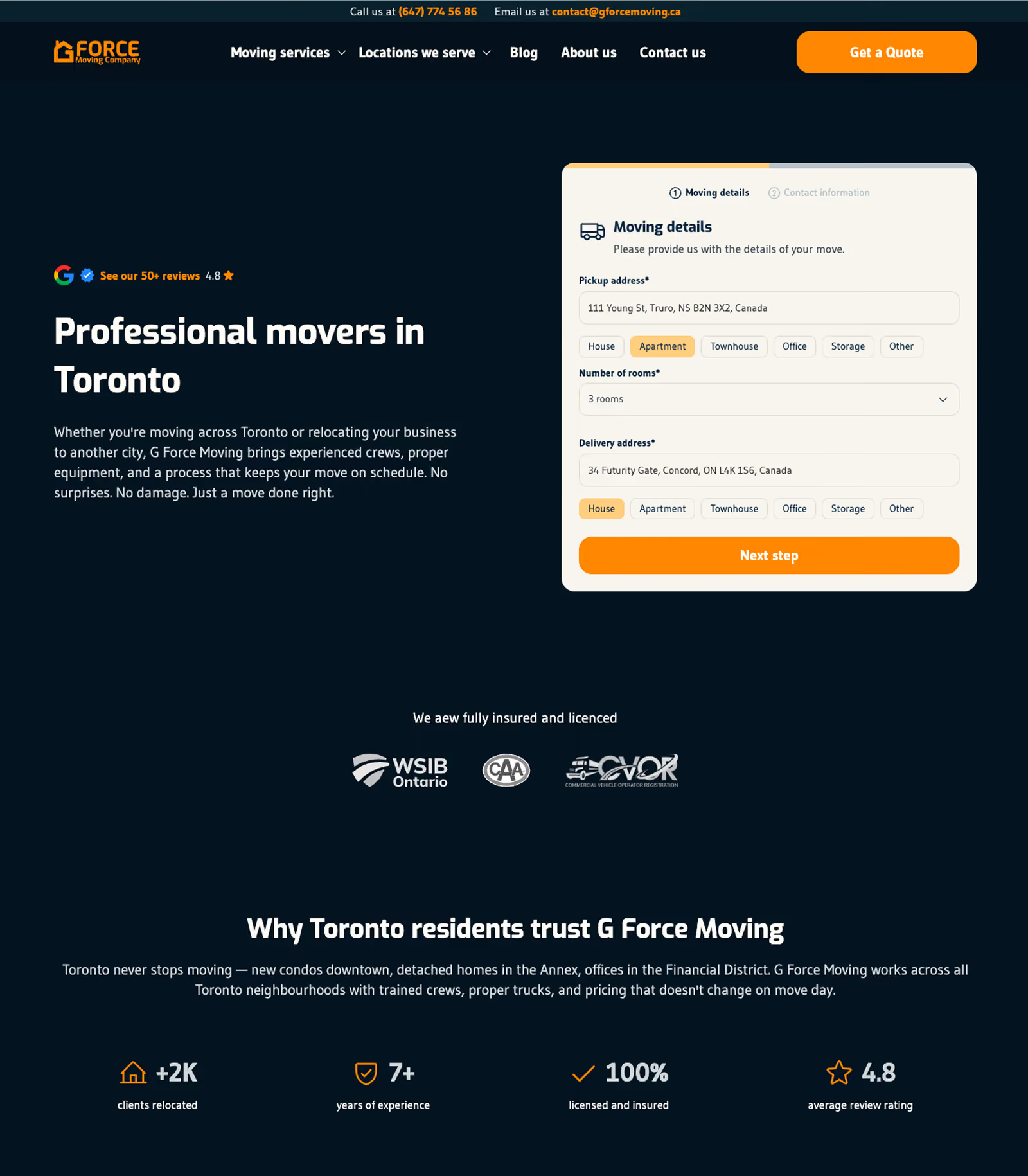
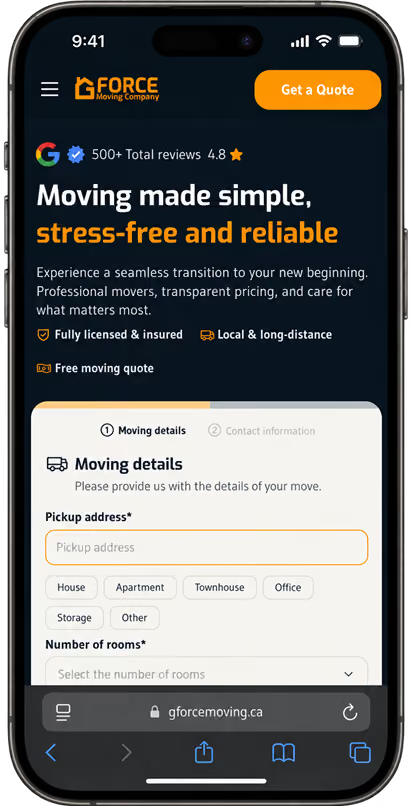
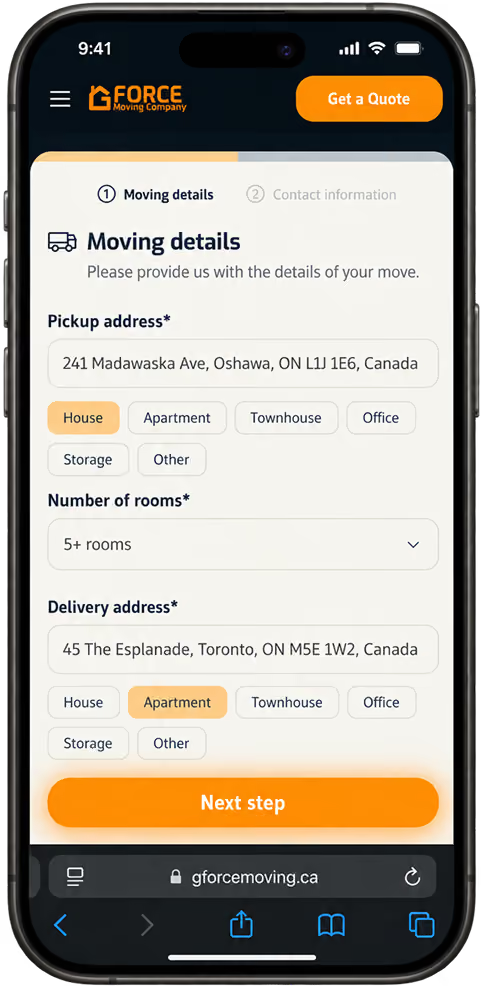
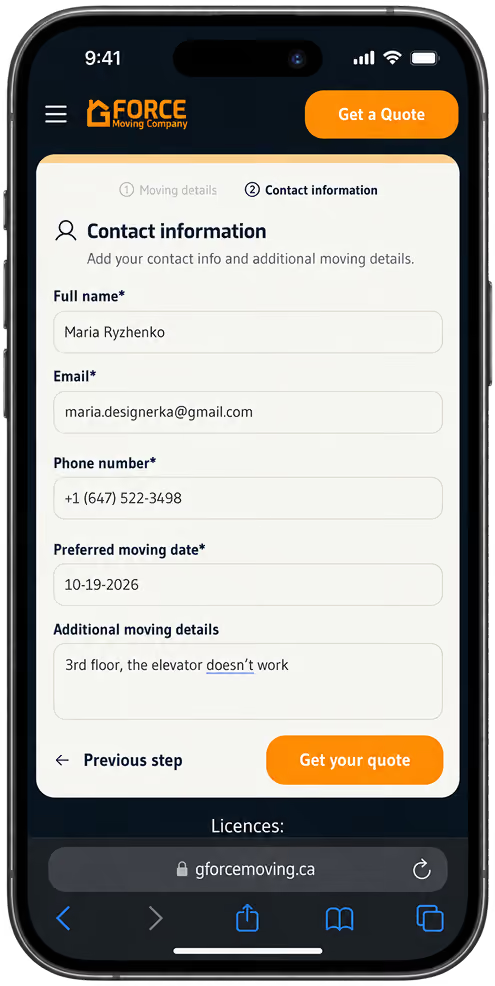
The form no longer has its own page. It sits on the homepage and on every city landing page. Visitors who find us in search are routed to the landing page for their city, for example Toronto, so the quote is on the first page they see. It takes 2 steps and confirms the submission, all inside the quote widget.
The site on a phone
Every page template has a mobile layout built from the same components. The design system's device modes, mobile type scale and mobile grid carry each page from desktop to phone.
Testing showed users weren't sure their quote was sent
The interviews and survey pointed to one hypothesis: visitors dropped off because they didn't see their city and didn't see enough proof that we were a real company. I built a working quote prototype in Claude Code and tested it with 4 users in moderated sessions, using Granola as the AI note taker.
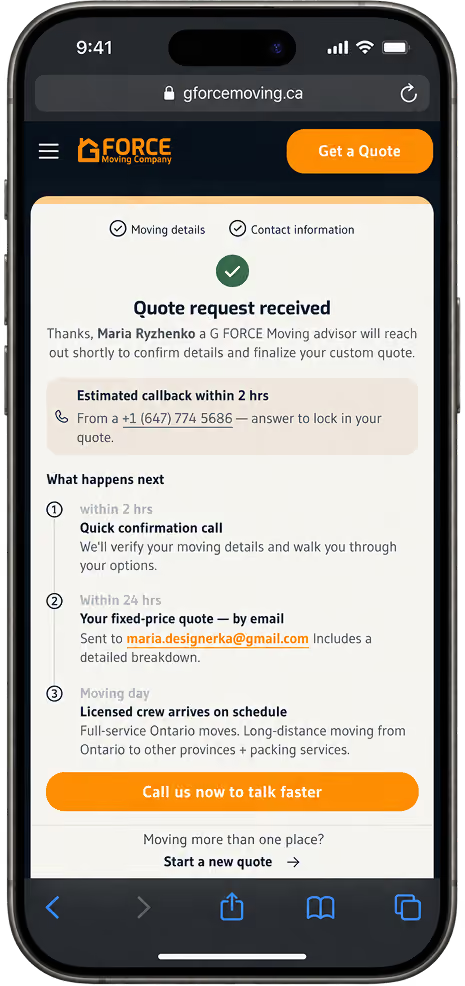
Every user finished the quote. The problem came after: they weren't sure the form had reached the company, because nothing confirmed it. So I built confirmation into the new quote flow. It shows how many steps are left, confirms the submission on screen and explains what happens next, and an automatic confirmation email goes out right after the quote is submitted.
Before testing & redesign
After testing
Without paid ads, net income rose 72% in the first summer
How I delivered it
I built about 70% of the front end in Webflow myself. I wrote detailed handoffs for the developer and documentation covering design, development, implementation, integrations, assets, analytics, SEO and marketing. I onboarded him into the project and supported him at every stage. He finished the front end, built the back end, connected the CRM and Google Analytics and secured the system.
What changed after launch
We launched on June 25, 2026 and ran no paid ads for the next three months. I compared July to September 2026 with the same months of 2025, when we paid for ads every month.
Revenue stayed within 2.4% of the paid-ads summer.
Expenses fell 28%.
Net income rose 72%, and net margin went from 26% to 46%.
The booking rate, the share of quote requests that become booked moves, went from at most 10% to about 22% (26% in July, 18% in August), above the 20% target.
Revenue includes phone calls, Google Maps and referrals as well as website quotes, and we can't separate those channels. What the numbers support is that the new site let the business stop paying for ads without losing revenue.
Goals against results
Met
Content without a developer
After launch I added 24 interprovincial pages without a developer, and our SEO specialist works in the CMS
+69%
More organic traffic
Organic search sessions, Q2 to Q3 2026, against the +40% target
~22%
Higher conversion
Booking rate, July and August 2026, against the 20% target
Fewer quotes, more bookings per quote
The site received about 48% fewer quote requests than in the paid-ads summer of 2025, though the 2025 count may include spam we couldn't filter out. A higher share turned into moves: with the booking rate about doubled, we booked an estimated similar number of jobs from about half the requests.
Quote requests
Indexed, 2025 = 100
48% fewer
Booking rate
Each square is 1 in 10 quote requests; green is the share booked
about 2×
Booked moves
Requests × booking rate
about the same
+92%
Successful quote submissions, July to September vs April to June 2026
+145%
Clicks to call, same comparison
74%
of people who start the new quote form submit it
Compared with April to June 2026, which ran almost entirely on the old site, successful quote submissions grew 92% from July to September, and clicks to call grew 145%. That comparison spans seasons, and summer is our busiest time. Of the people who start the new quote form, 74% submit it.
Search and engagement
Organic search sessions grew 69% from Q2 to Q3 2026, ahead of the 40% target. Bounce rate fell from 70% to 62%, and user engagement events grew 95%; Q2 ran almost entirely on the old site. Visits from AI assistants grew about 15 times, and they had the highest key-event rate of any channel, from a small base. Google indexed every page on our indexing list.
Three months is a short window, and market conditions and our Google Maps ranking may also have played a part.
What I would do next
Next on the roadmap: a blog system, a moving prices widget and real photos for the remaining city pages. At my last check, 39 of the 52 Ontario city pages were still waiting for photos from moves in their area. For Q4 2026, the plan is to build domain authority through content and backlinks, measured by organic traffic and lead volume.


