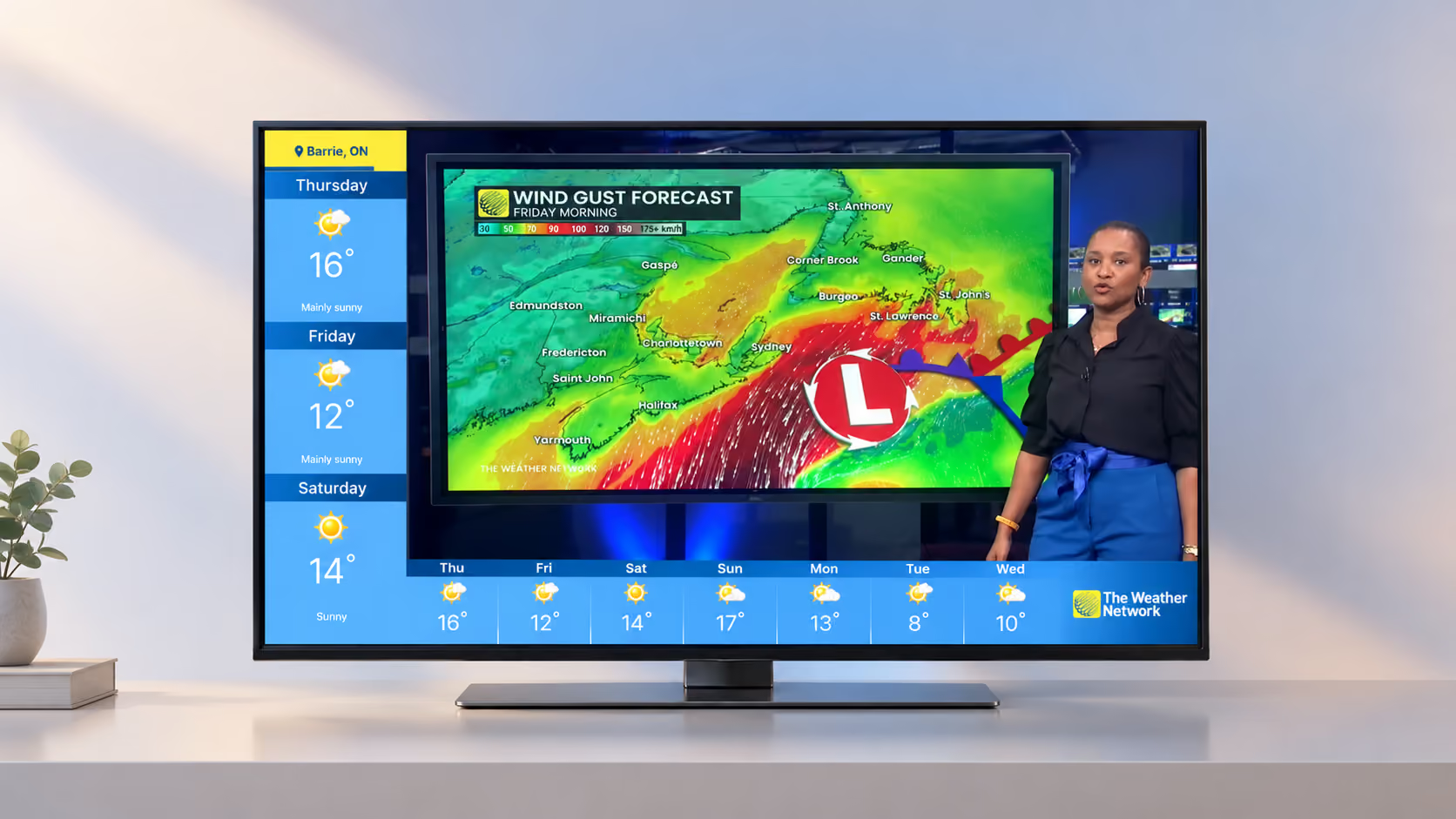
Turning a live-TV weather overlay into a sponsor-ready surface
I redesigned the L-Bar, the L-shaped frame of weather data that wraps The Weather Network’s live broadcast. The new frame shows two forecasts for each city and gives sponsors five ways to take over the screen.
Also live on Tubi, Roku, Samsung TV Plus and LG Channels
UX/UI Designer
The Weather Network (Pelmorex)
FAST channel on Pluto TV, Tubi, Roku, Samsung TV Plus and LG Channels, and the Live TV page of The Weather Network TV app
Shipped and live
August 2022 to April 2023
Figma, Adobe After Effects, Photoshop
A production manager, two developers and a marketing manager
Layout, colour system, motion behaviour, developer handoff and communication with engineering. Sponsor format and assets, created with the marketing manager.
Key results
Viewer and revenue figures were not shared with the design team. These are the outcomes I can verify.
Live on 5 FAST services
Pluto TV, Tubi, Roku, Samsung TV Plus and LG Channels.
5 sponsor placements
From a logo swap to a full takeover of the L-Bar.
Sponsor revenue
The first collaboration, with Les Stroud’s Survivorman, brought revenue to TWN.
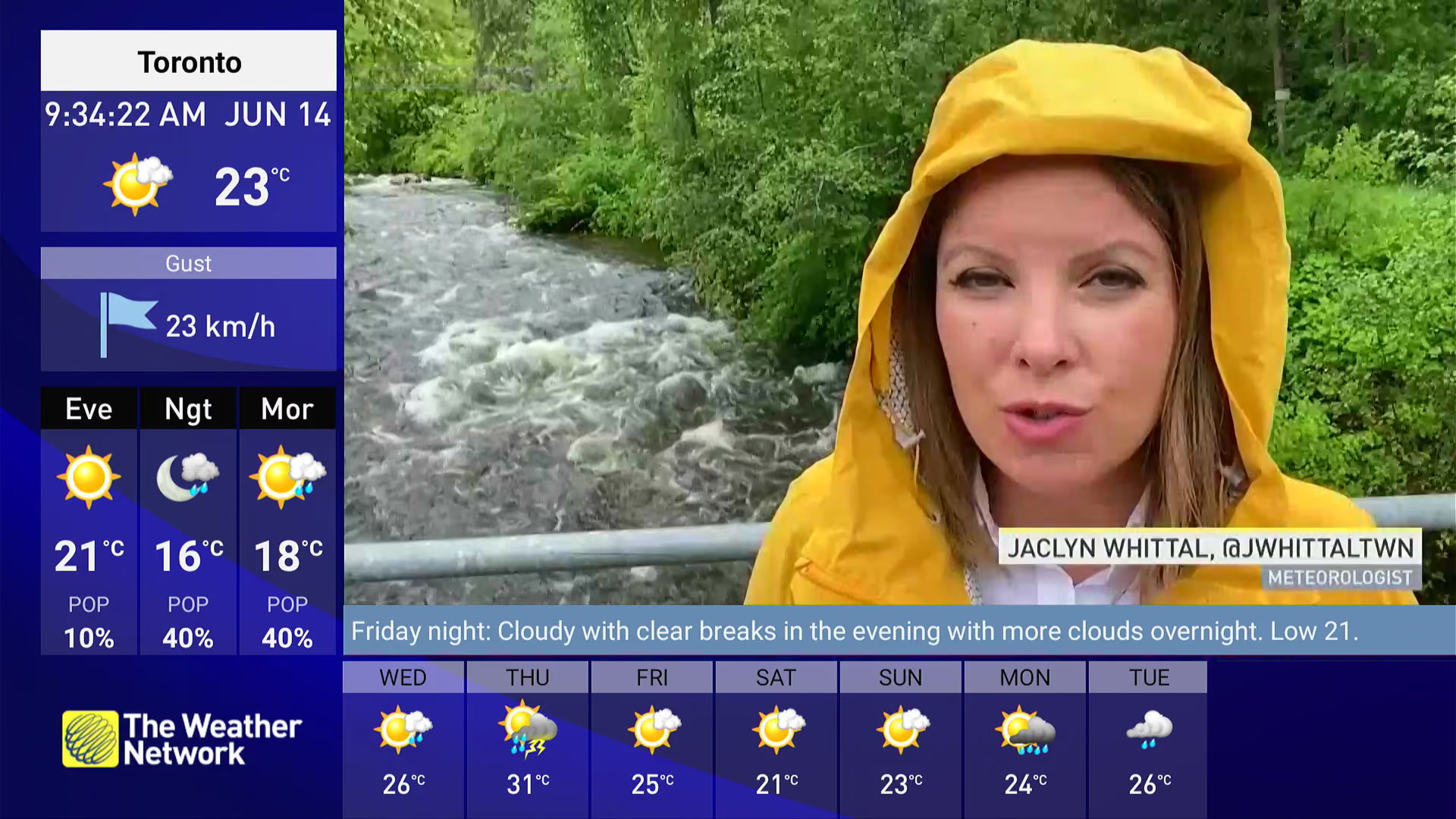
Before: the old L-Bar
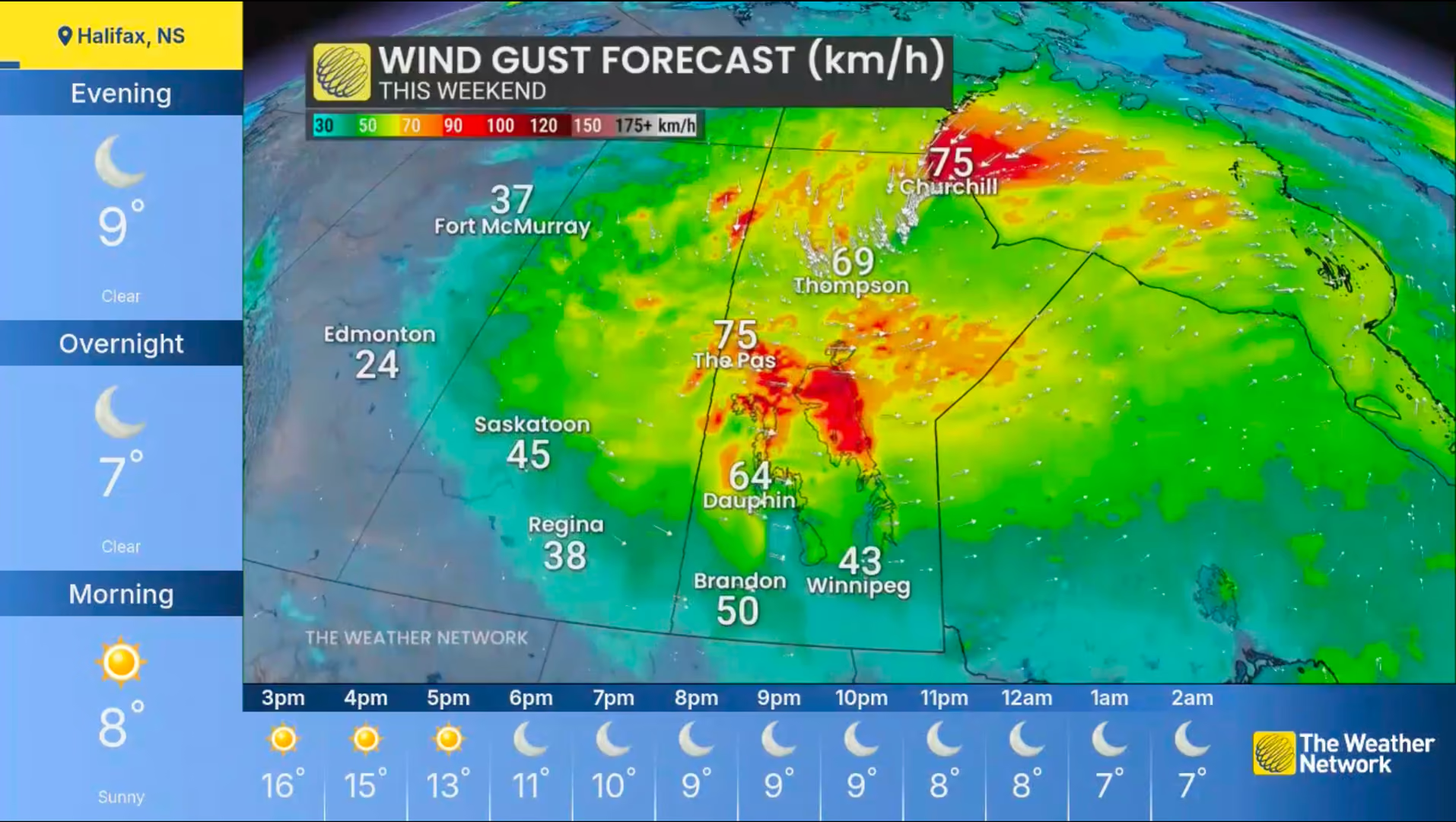
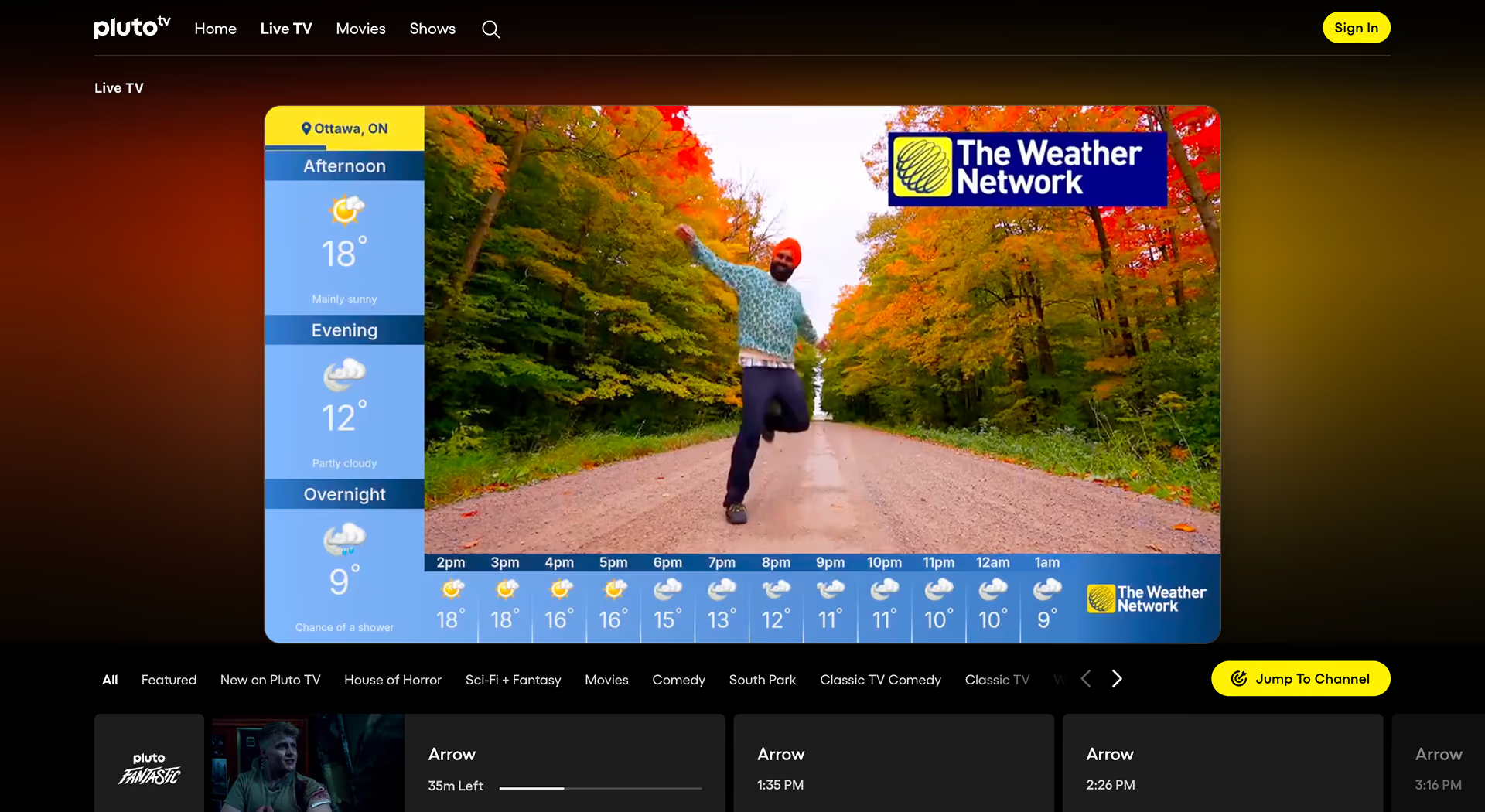
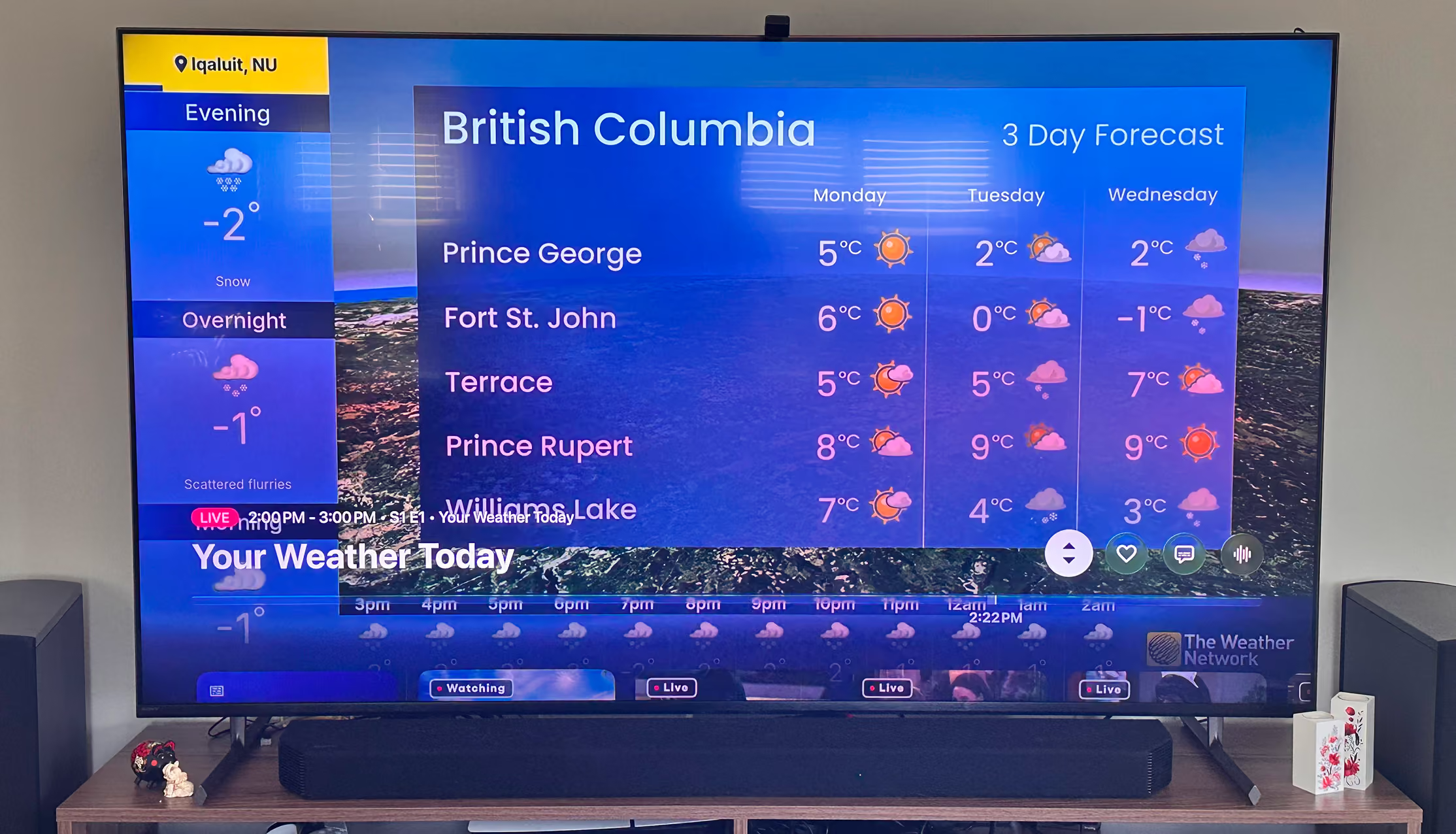
After: the new L-Bar, live on Pluto TV
Overview
Viewers see the L-Bar around the live broadcast of The Weather Network’s FAST channel, and on the Live TV page of the TWN TV app. My manager asked for a version that could earn revenue through sponsored content and show weather for the main cities in every Canadian province.
The shipped L-Bar shows a day view and a week view for each city, gives sponsors five placements, and runs on Pluto TV, Tubi, Roku, Samsung TV Plus and LG Channels.
The L-Bar took screen space and earned nothing
The old version showed a clock, wind gust, a three-period forecast, a line of forecast text and a seven-day strip. It had no space for sponsored content, so it brought in no revenue.
It also confused some viewers. Each forecast period carried the label “POP” for probability of precipitation, and viewers complained that they didn’t know what it meant. My manager passed these complaints on to me.
The brief came from product, not research
There was no research data for this project. My manager set the agenda, the pain points and four goals:
- Give sponsored content a place in the interface so the L-Bar can earn revenue
- Show the weather for the main cities in every Canadian province
- Show today in one view: three parts of the day and the next 12 hours
- Show the week in a second view
I worked within two constraints. The L-Bar frames live video, so it must not pull attention from the broadcast. And the streaming platforms render solid colours only, so the design couldn’t rely on transparency.
Four decisions behind the new L-Bar
An L-shape fits two forecasts at once
I first explored a lower third, a single bar along the bottom of the screen. It had room for one row of data, and I needed space to show two types of forecast for the same city at once: the parts of the day and an hourly or daily strip. I rejected the lower third as too small and moved to an L-shape, with a vertical column on the left and a strip along the bottom.
The trade-off is screen space. The broadcast plays in the area inside the L, smaller than full screen.
Rejected: lower third
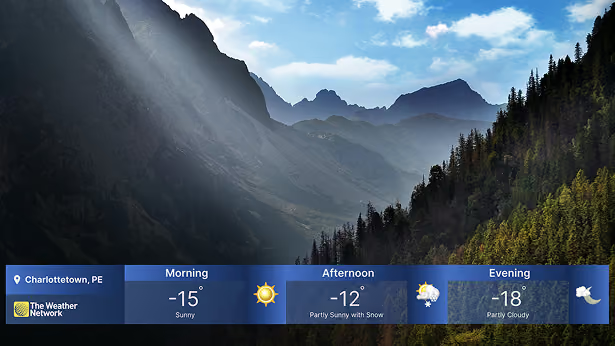
Chosen: L-shape
Sponsors can take over any part of the frame
With the marketing manager, I designed five sponsor placements, from a logo swap to a full takeover:
- The whole L-Bar
- The vertical column only
- The bottom strip, forecast only, keeping The Weather Network logo
- The bottom strip, forecast and logo
- The logo only
I also created the sponsor assets the format needs: banners sized for the L-Bar and logo versions that fit its slots. I tested sprite images with the developers. Marketing used the format first for a collaboration with Les Stroud’s Survivorman.
Full takeover: Survivorman (video)
Solid colour, because the platforms couldn’t render glass
I explored a frosted-glass background that let the video show through the frame. The developers told me the platforms could not render transparency, only solid colours. I switched to a solid blue gradient. I gave up the layered look in exchange for a frame the developers could build on every target platform.
Explored: frosted glass
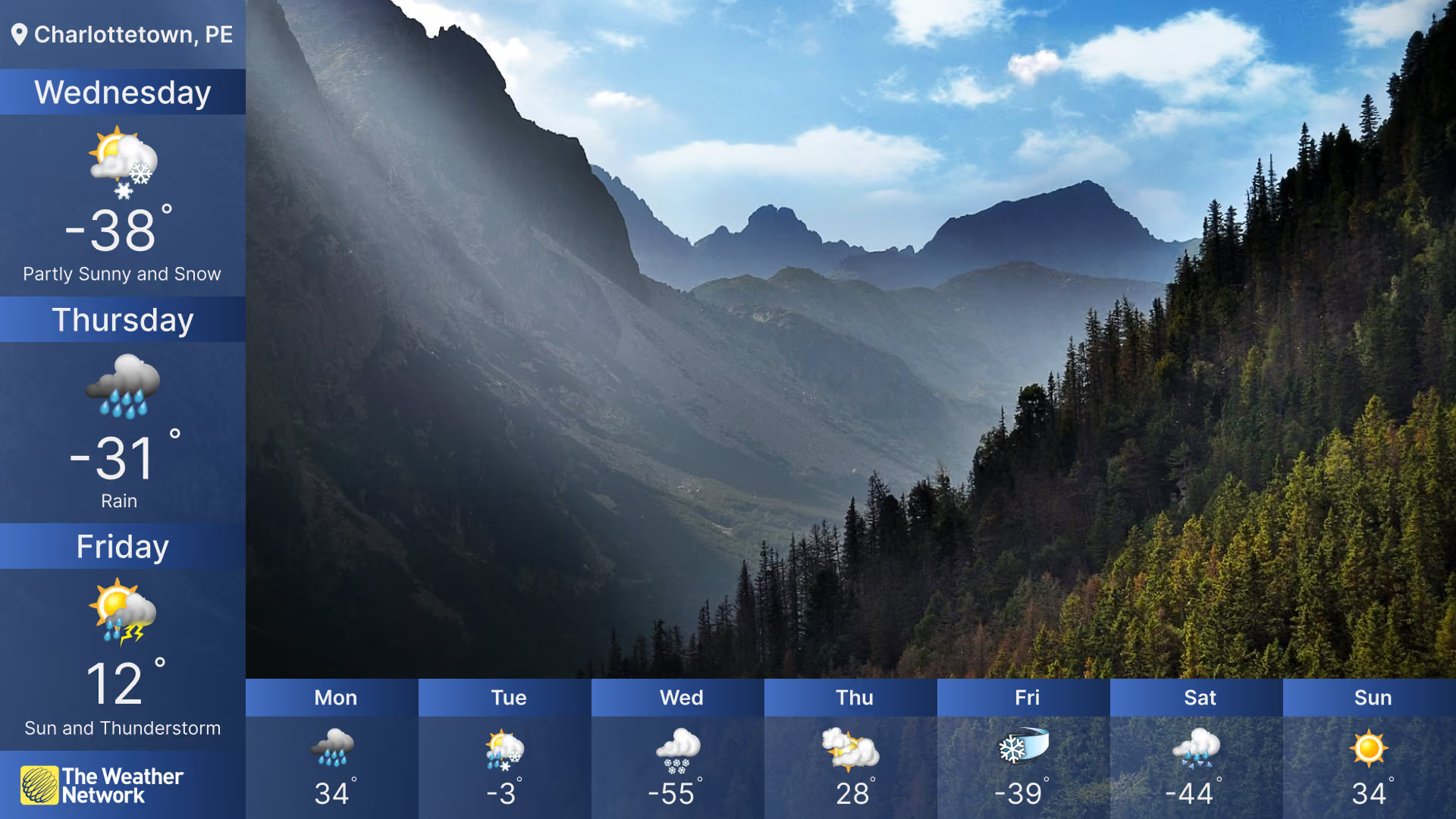
Shipped: solid gradient
Each city stays on screen for 20 seconds, with a line showing the time left
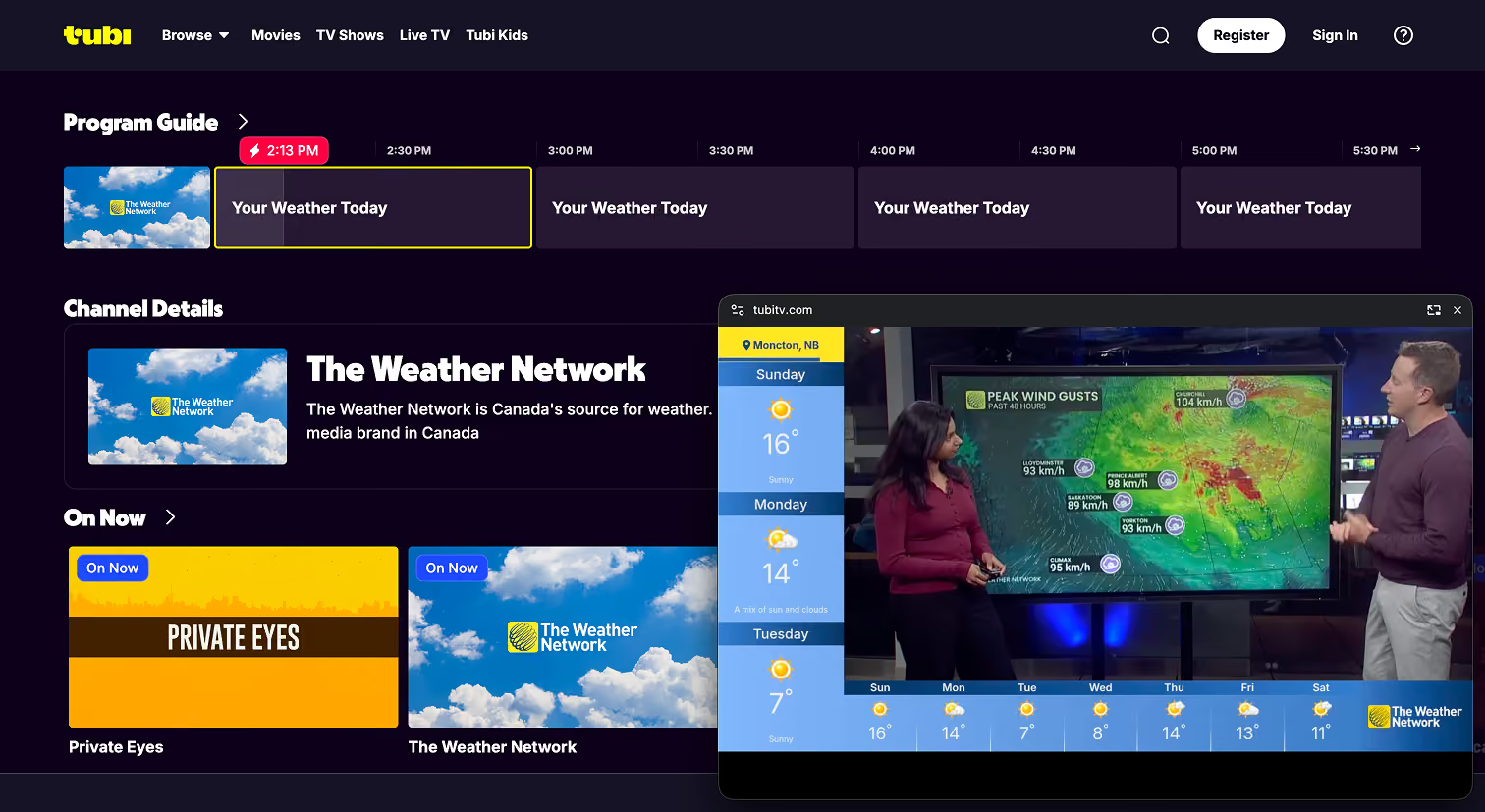
The L-Bar rotates through the main cities in every province. Each city stays on screen for 20 seconds: 10 seconds of the day view, then 10 seconds of the week view. A progress line under the location tag shows how much time is left before the next city.
The day view shows the next three parts of the day in the column, such as Afternoon, Evening and Overnight, and the next 12 hours along the bottom. The week view shows the next three days in the column and all seven days along the bottom.
Day view
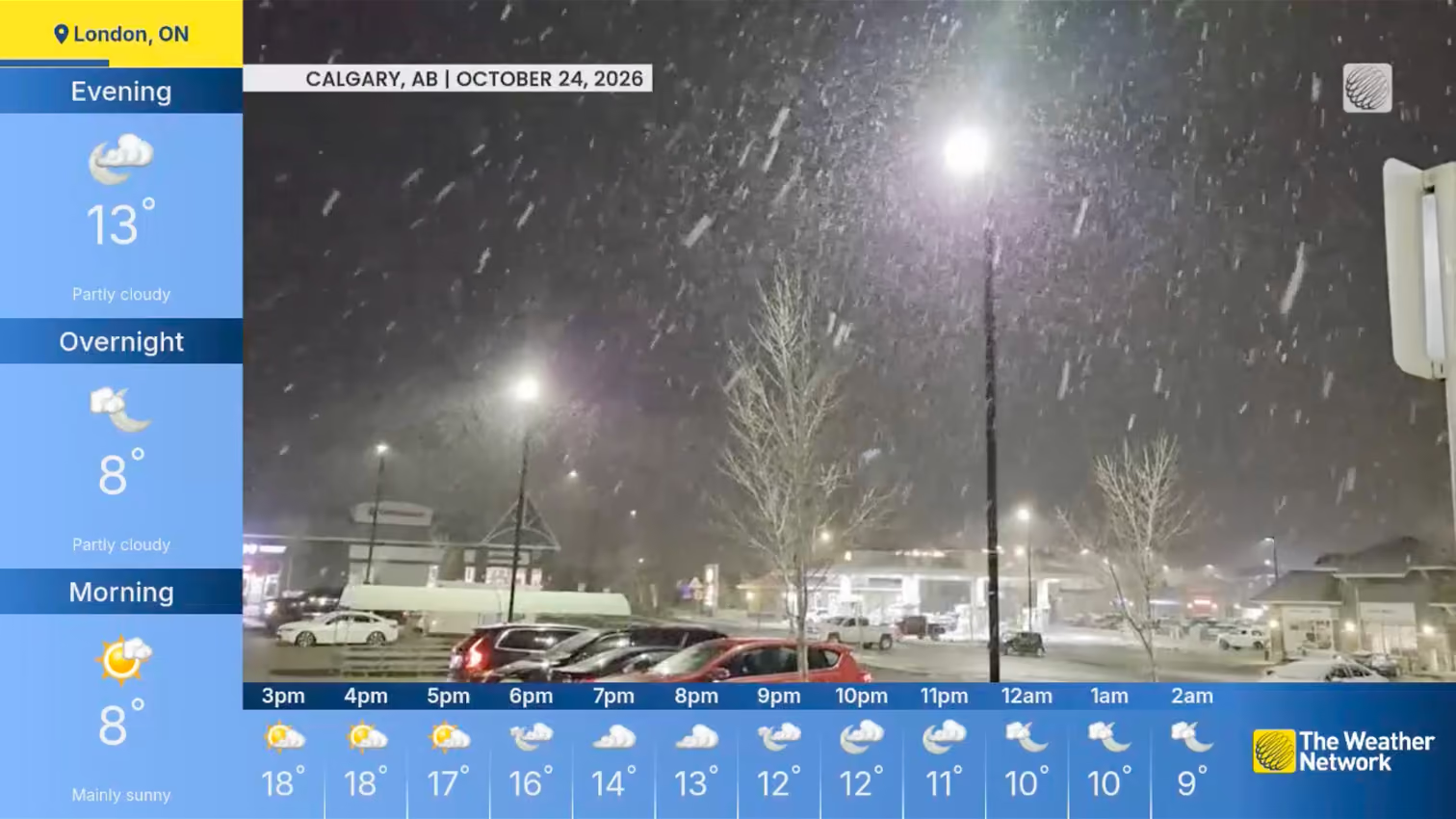
Week view
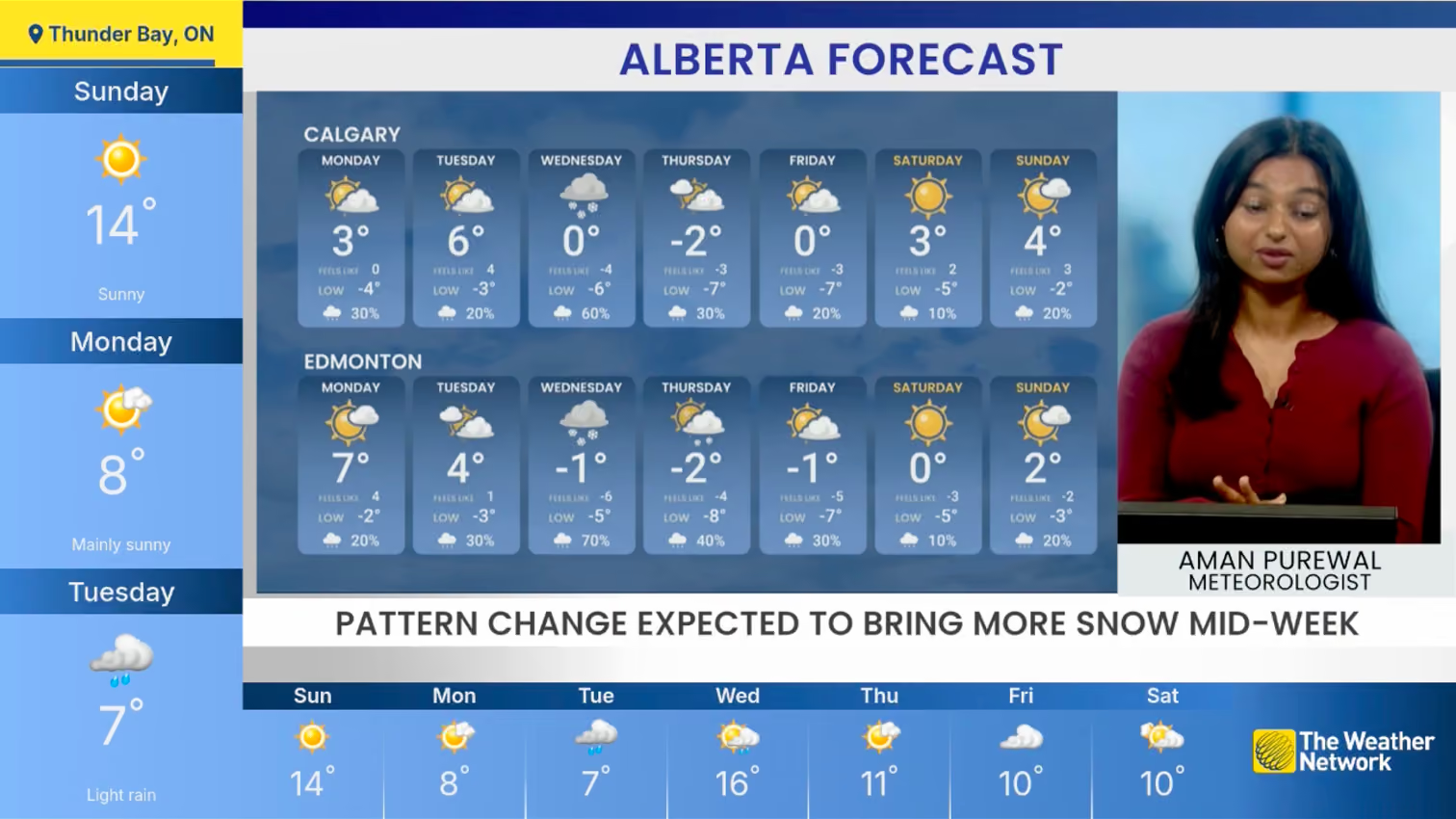
- 0–10 s: day view
- 10–20 s: week view
- Next city
Transitions that keep the eye on the broadcast
I combined a fade with a slide for every data change, so new forecasts replace old ones without pulling the viewer’s eye from the video.
I owned the colour system, the motion behaviour and the handoff. I handed the designs off to the two developers and stayed in contact with them through the build.
Live across five FAST services
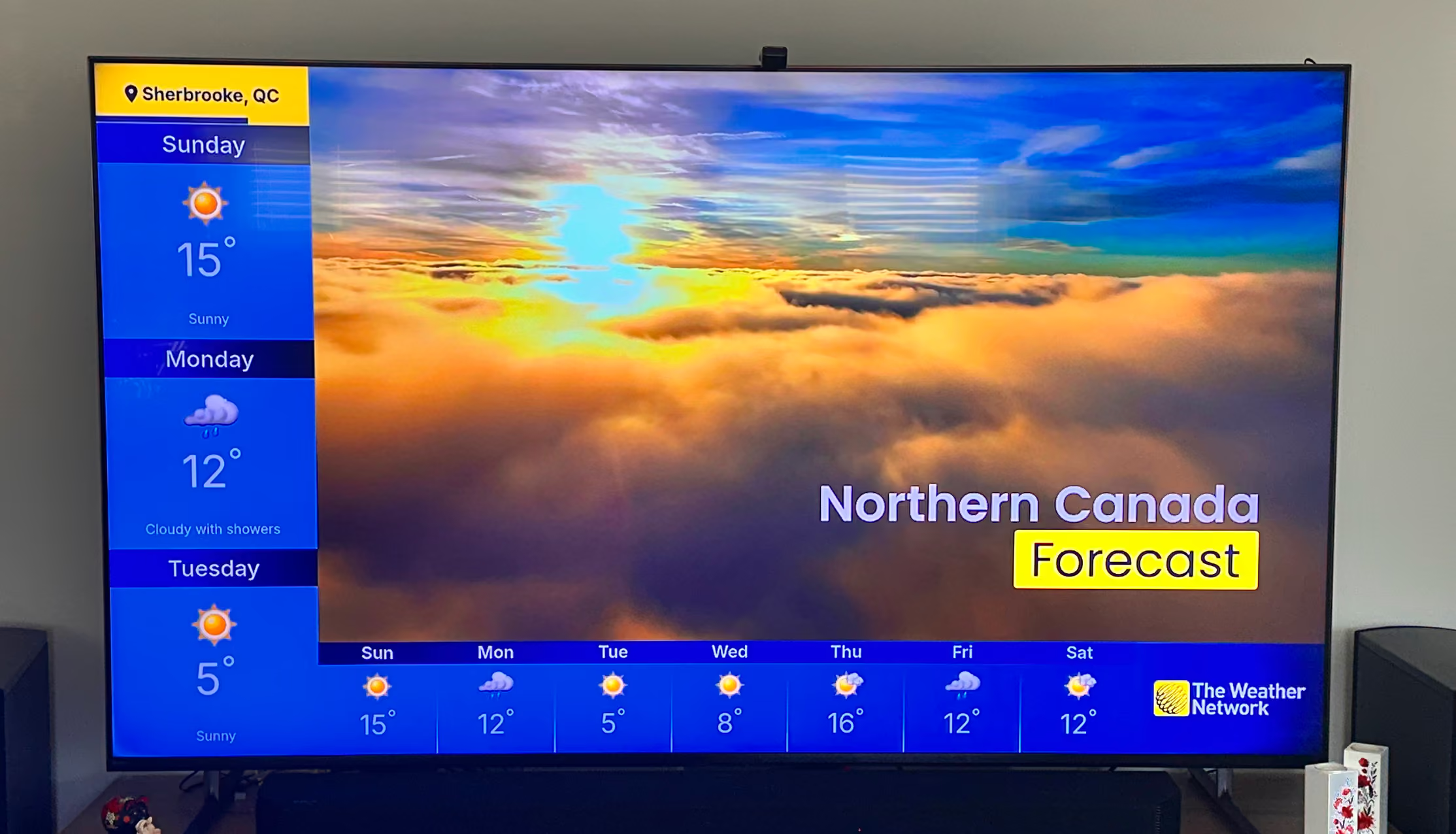
The L-Bar is live on Pluto TV, Tubi, Roku, Samsung TV Plus and LG Channels, on every streaming service that carries The Weather Network channel, and on the Live TV page of The Weather Network TV app.
The Survivorman collaboration with Les Stroud brought revenue to The Weather Network. I don’t know the amount, because revenue reporting sat outside the design team. I had no viewer or engagement data for the L-Bar, so I make no claims about them here.
Live on Pluto TV (Iqaluit, NU)
Live on Tubi (Sherbrooke, QC)
The L-Bar also appears inside The Weather Network TV app, which I redesigned. Read the TV app case study.


